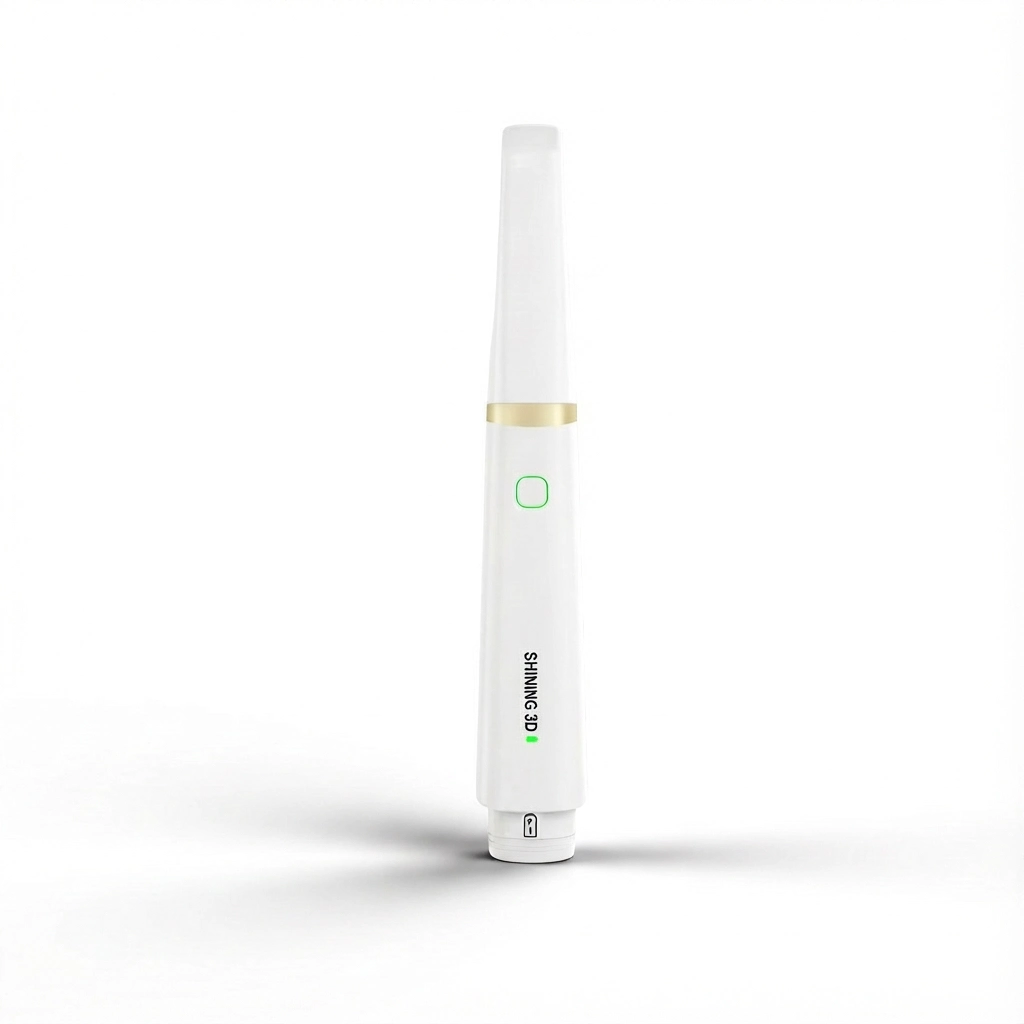
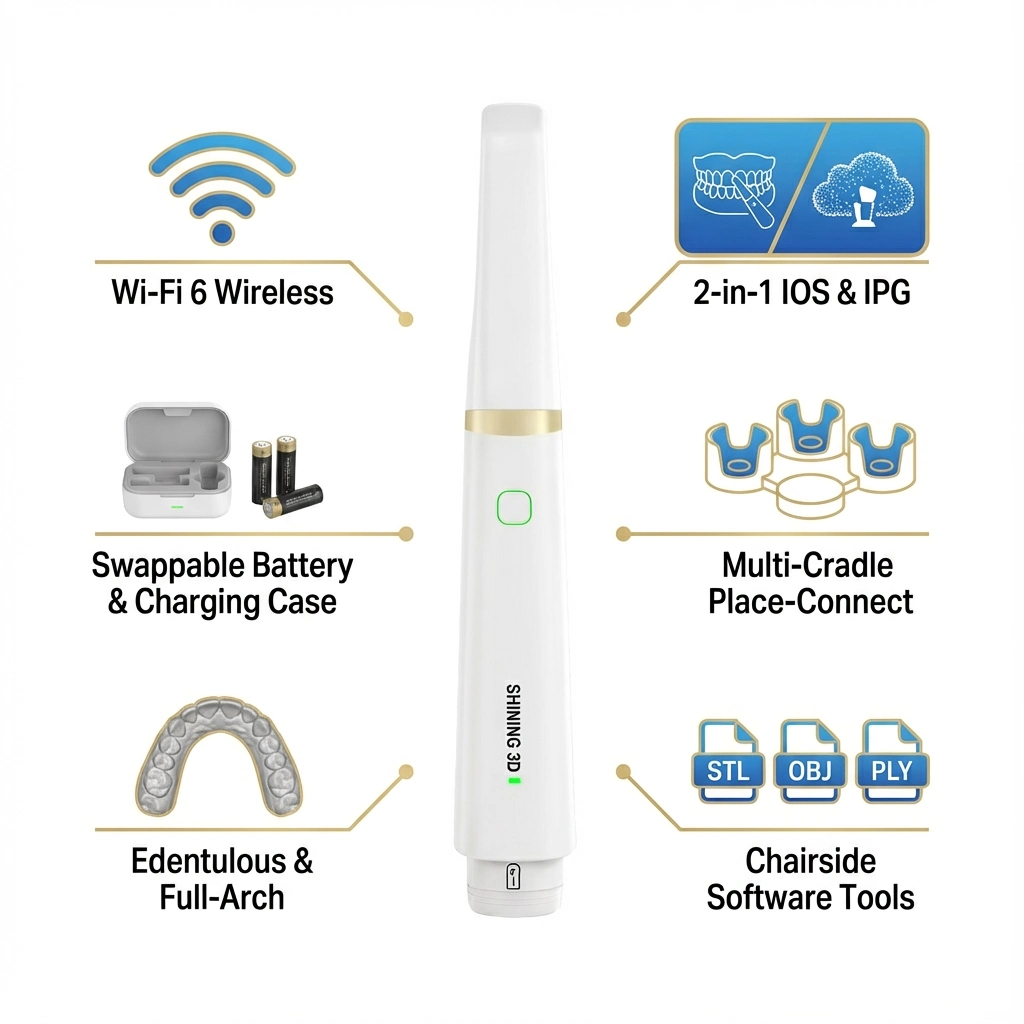
Aoralscan Elite Wireless is a wireless intraoral scanner that combines IOS and IPG for restorative dentistry and implant workflows, including full-arch and edentulous cases. It connects via Wi-Fi 6, uses swappable batteries with a charging case, supports multiple tips, and exports STL, OBJ, and PLY for lab and CAD/CAM use.
No online checkout. Our support team helps you with current price, availability, promotion details, and product guidance before purchase.
Warranty & Build Quality
Fast Customer Support
Secure Payment Checkout
Price available on request.
Prices and promotions may vary based on availability, brand offers, product configuration, and order conditions. Contact our WhatsApp support to receive the current price, availability status, and promotion details.
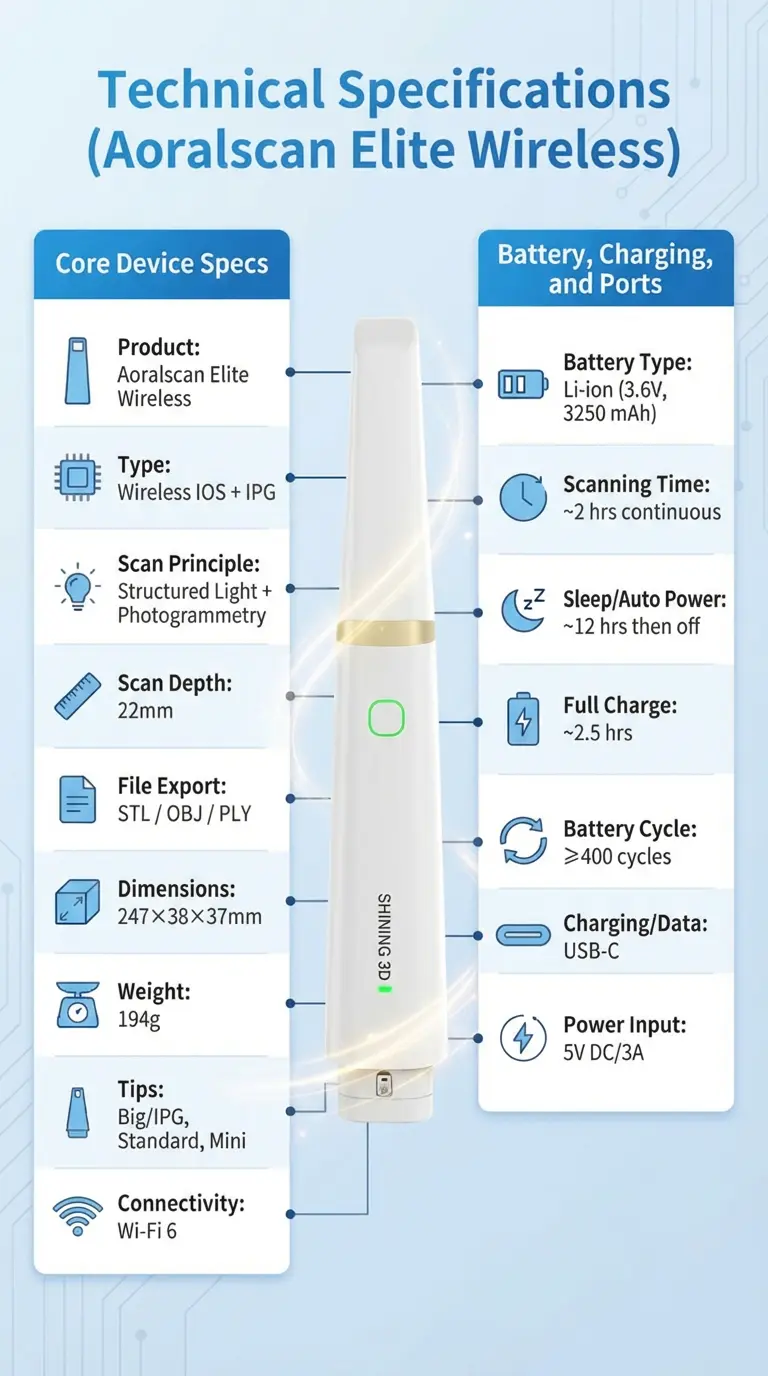
Big/IPG: 19×14 mm; Standard: 16×12 mm; Mini: 12×9 mm
Tip sterilization / reuse (manufacturer limit)
Up to 100 cycles (tip-dependent)
Connectivity
Wi-Fi 6
Typical wireless range (stated)
Up to ~5 m (environment dependent)
Battery, charging, and ports
Item
Specification
Battery type
Li-ion
Battery rating
3.6V, 3250 mAh
Scanning time per battery (stated)
Up to ~2 hours continuous scanning
Sleep / auto power behavior
Up to ~12 hours sleep, then auto power-off
Full charge time (stated)
~2.5 hours
Battery cycle rating
≥400 cycles (capacity ≥80% after 400 cycles, stated)
Charging / data port
USB-C (Type-C)
Power input
5V DC / 3A (USB-C Power Delivery requirement matters see Section 12)
Aoralscan Elite Wireless is a wireless intraoral scanner from SHINING 3D Dental designed for digital restorative and implant workflows, with added support for full-arch and edentulous cases. It combines standard intraoral scanning (IOS) with intraoral photogrammetry (IPG) in one device, helping clinics capture soft tissue and implant position data for everything from single-unit work to All-on-X. With Wi-Fi 6 connectivity, swappable batteries, and a charging case, it’s built for chairside use across rooms, while exporting common formats (STL, OBJ, PLY) to fit into most lab and CAD/CAM workflows.
Key Differentiators
Aoralscan Elite Wireless brings IOS (intraoral scanning) and IPG (intraoral photogrammetry) into one wireless handheld scanner, so a clinic can cover routine restorative scans and also handle demanding implant cases such as full-arch and edentulous workflows. It connects over Wi-Fi 6, uses swappable batteries with a charging case, and supports a multi-cradle “place-connect” style setup for moving between operatories. For edentulous and full-arch capture, it offers an IPG (Big) tip plus an edentulous scanning mode, and it supports an immediate loading workflow using Cap Scanbody when soft-tissue conditions make alignment more difficult. For lab communication and CAD/CAM handoff, it exports STL, OBJ, and PLY.
Differentiator
What it means in practice
Why it matters for clinics/labs
2-in-1 workflows: IOS + IPG
One device supports routine intraoral scans and IPG-based implant position capture
Covers a wider range of cases without switching devices
Wireless operation (Wi-Fi 6)
Fast, stable cable-free scanning in the operatory
Cleaner setup, easier chairside handling, less clutter around the patient
Swappable battery workflow + charging case
Keep scanning by swapping batteries instead of stopping for a wired charge
Useful for high patient volume and multi-room schedules
Multi-cradle “place-connect” concept
Move the scanner to another room/cradle and continue work with minimal interruption
Helps clinics that run multiple operatories with shared equipment
Edentulous support: mode + IPG (Big) tip
Tools aimed at capturing full-arch/edentulous geometry more consistently
Better fit and fewer remakes in full-arch implant workflows
Immediate loading support (Cap Scanbody workflow)
A method designed for challenging conditions (blood/saliva/soft tissue movement)
Improves alignment reliability in immediate load implant sessions
Multiple tips for access and coverage
Choose Standard for general scans, Mini for tighter areas, Big/IPG for full-arch
Better ergonomics and access across different patient anatomies
Open export formats (STL / OBJ / PLY)
Share files with most CAD/CAM and lab systems
Reduces friction when collaborating with external labs and software stacks
Supports coded scanbody workflows (with defined compatibility rules) and expanding implant libraries
Helps standardize implant capture and supports a broad range of systems
Who It’s For
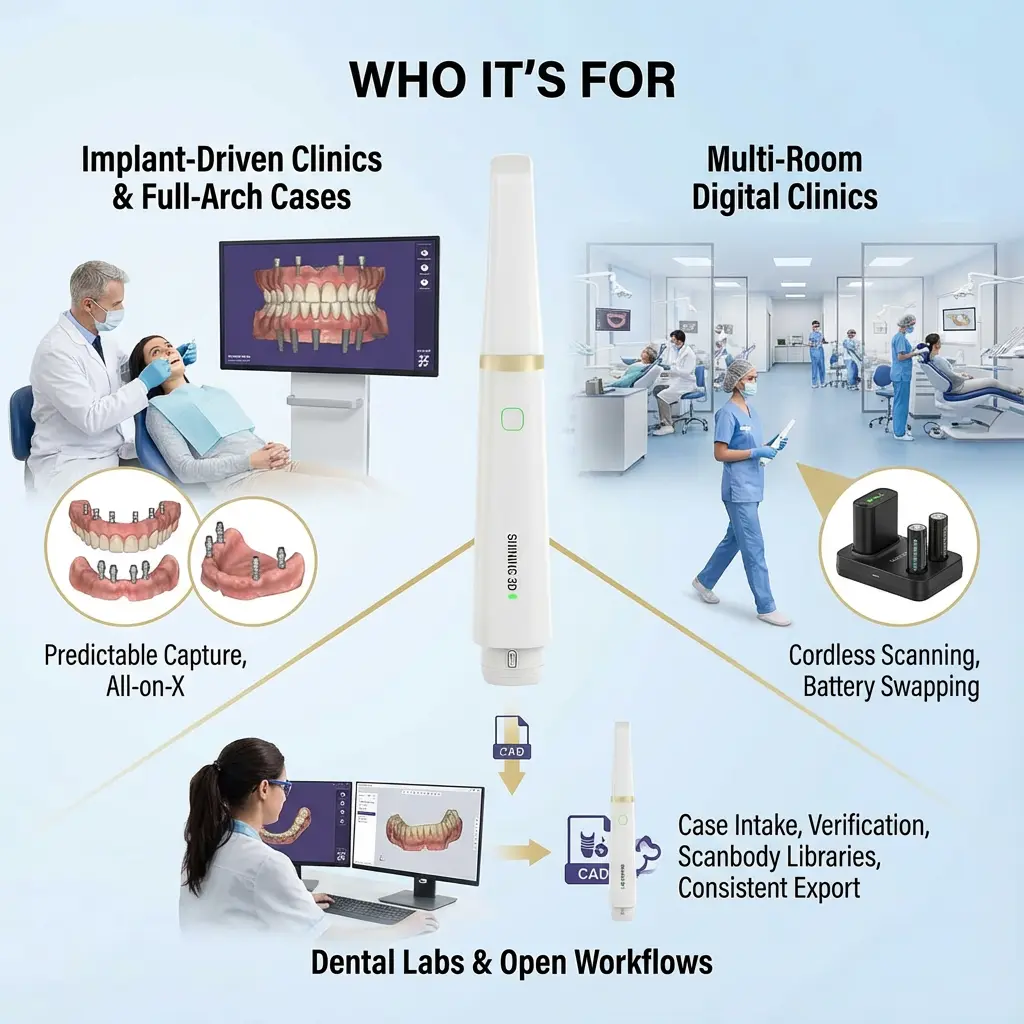
This scanner is a strong fit for implant-driven clinics that handle full-arch cases such as All-on-X and need predictable capture for edentulous arches, as well as practices that want one device for both restorative dentistry and implant workflows. It’s also a practical choice for digital clinics with multiple treatment rooms that benefit from cordless scanning and battery swapping during busy schedules. Dental labs and clinic–lab teams can use it in open workflows for case intake and verification, and for implant cases that rely on scanbody libraries and consistent file export for CAD design and manufacturing.
Lightweight, Comfortable, Ready for Every Case
At just 194 g (with battery), it’s built for comfortable handling during longer scanning sessions.
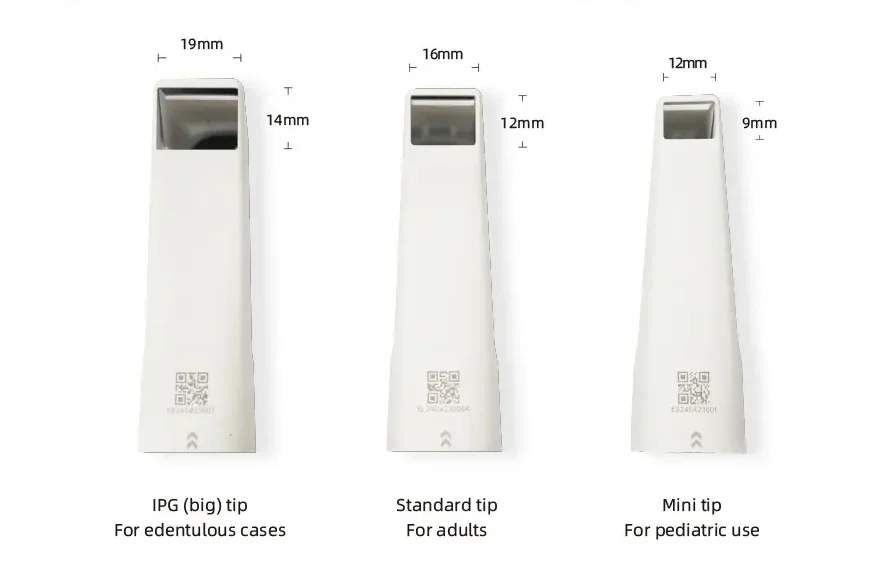
Choose the right tip for the job: IPG Big (19×14) for edentulous cases, Standard (16×12) for adults, and Mini (12×9) for tighter access.
Clinical Indications & Workflow Coverage
Aoralscan Elite Wireless is built to cover the daily scan needs of a digital clinic, while also supporting complex implant cases where full-arch capture and implant position accuracy are the priority. It combines standard intraoral scanning (IOS) for routine dentistry with intraoral photogrammetry (IPG) for edentulous and full-arch implant workflows so you can keep one scanner in the operatory for a wide range of indications.
Restorative dentistry
Digital impressions for crowns and bridges
Inlays/onlays and other indirect restorations (workflow-dependent)
Case handoff to CAD/CAM and labs via STL, OBJ, and PLY export
Implant workflows (single to full-arch)
Single-unit to multi-unit implant scans (workflow-dependent)
Full-arch implant cases where stable stitching and predictable capture matter most
Designed to support implant data capture with the IPG workflow alongside regular scanning
Edentulous / full-arch support
Edentulous scanning mode for better control when scanning toothless arches
IPG (Big) tip intended for full-arch geometry capture, especially in edentulous cases
A workflow aimed at reducing common full-arch scanning pain points (tracking interruptions, re-scan loops, and alignment headaches)
Immediate loading support (when conditions are messy)
Immediate loading cases often come with blood, saliva, and soft-tissue movement conditions that can make alignment harder and slow a case down. This system supports an immediate loading workflow using Cap Scanbody, helping teams secure alignment and finish capture more predictably when the mouth environment isn’t ideal.
Wireless Performance & Ergonomics
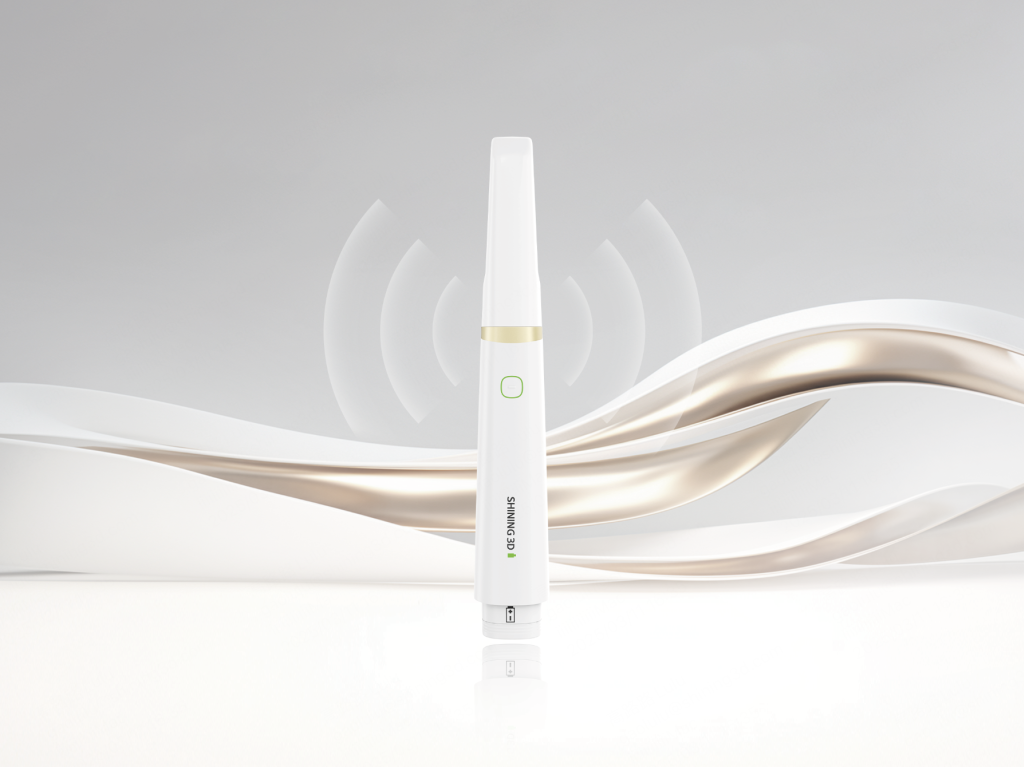
Aoralscan Elite Wireless is made for clinics that want cable-free scanning without extra cables and clutter around the chair. Wi-Fi 6 connectivity supports fast data transfer during scanning, while the power system is built around swappable batteries so the scanner can stay in circulation throughout the day.
Wireless workflow that fits real clinic movement
Wi-Fi 6 connection for stable chairside use
Supports a multi-cradle “place-connect” style setup for moving between operatories
Practical for clinics running multiple rooms with shared digital equipment
Battery system designed for continuous use
Swappable batteries to keep scanning instead of stopping to plug in
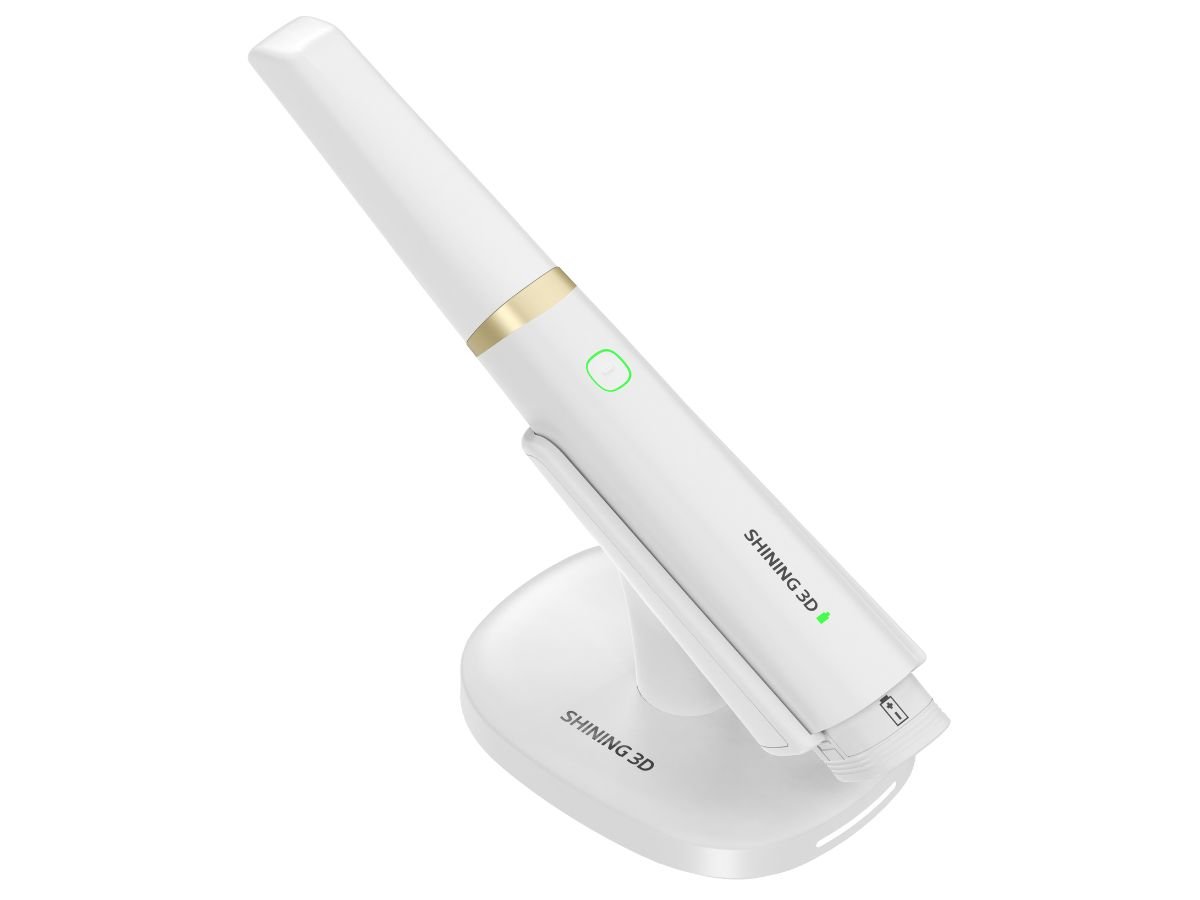
Package includes two batteries plus a charging case (rotation-ready)
Useful in busy schedules where back-to-back appointments don’t leave time for downtime
Ergonomics for long scans
Lightweight body (about 194 g with battery and standard tip)
Balanced handling helps during longer sessions such as full-arch scanning
Tip options (Standard / Mini / IPG Big) help match access needs and scan coverage
USB-C charging and a cradle-based routine keep the station tidy and reduce cable clutter around the patient
Scanning Performance (What the User Gets)
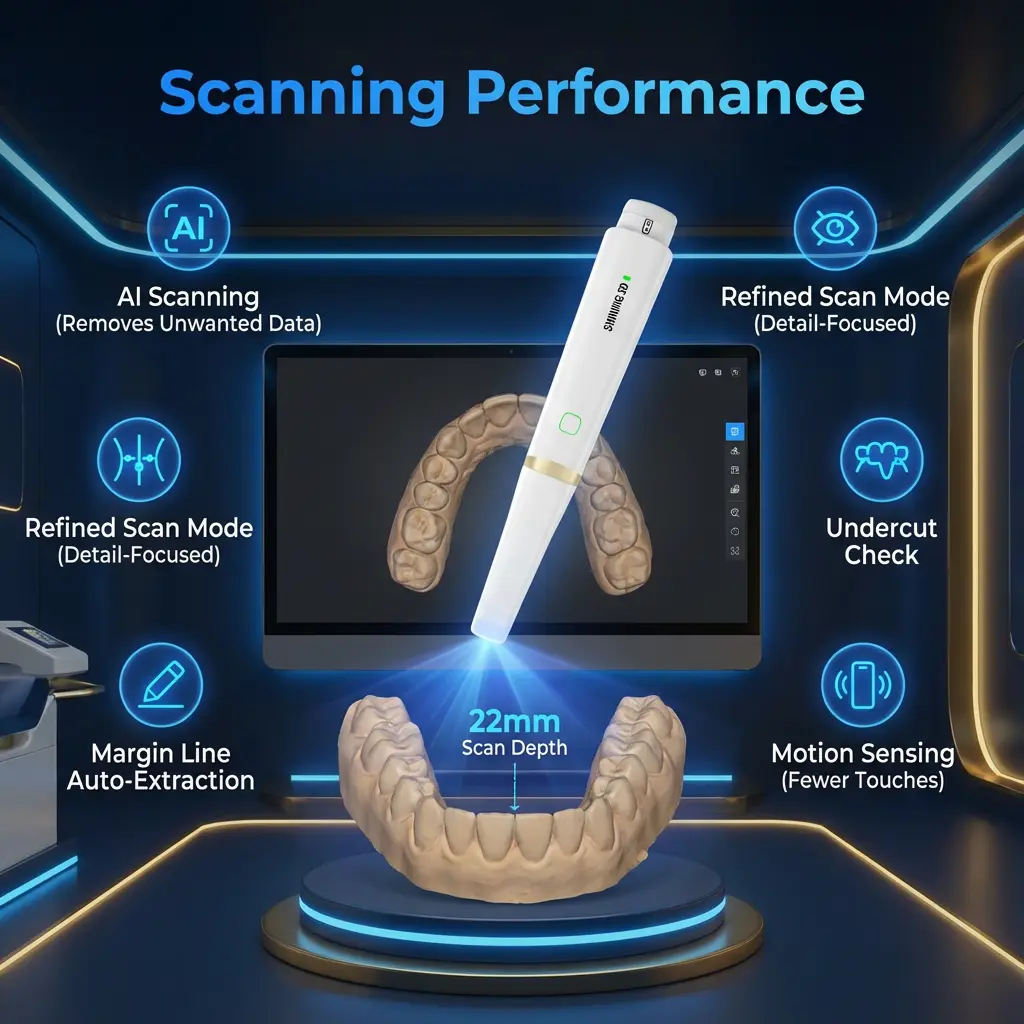
Aoralscan Elite Wireless is designed for chairside scanning where speed is only useful if tracking stays steady and the capture stays clean. In daily restorative scans, the goal is a smooth pass with minimal backtracking; in full-arch and implant cases, the goal is to keep continuity so you don’t lose alignment and restart sections. With a 22 mm scan depth, it can capture a wide range of oral structures in a single pass, helping reduce “stop-and-go” scanning in common clinical angles.
What you get in practice
Fast capture with stable tracking for routine restorative scans and longer full-arch passes
22 mm scan depth to maintain capture across varied anatomy and scan angles
Cleaner scans during capture using in-software tools that reduce unwanted data and refine the result
Chairside software functions that support scan quality
AI Scanning (helps remove unwanted data during capture)
Refined Scan Mode (for detail-focused passes)
Undercut Check
Bite Analysis
Margin Line Auto-Extraction
Motion Sensing (supports workflow steps with fewer touches to reduce cross-contamination)
Tips & Field of View Options
Different cases need different access and coverage. Aoralscan Elite Wireless provides multiple tip options so you can choose between wider coverage for full-arch work and tighter access for posterior areas.
Tips at a glance (use-case guide)
Big / IPG Tip: built for full-arch and edentulous workflows, especially when using the IPG workflow
Standard Tip: everyday scanning for most restorative and general intraoral capture
Mini Tip: improved access for tight posterior areas and patients with limited opening
Field of View (FOV) comparison
Tip
Field of View (per frame)
Best for
Practical trade-off
Big / IPG
19 × 14 mm
Full-arch, edentulous, implant full-arch capture
More coverage per frame; less suited to tight spaces
Standard
16 × 12 mm
General scanning across most cases
Balanced coverage and access
Mini
12 × 9 mm
Posterior access, smaller mouths, limited opening
Easier access; smaller coverage per frame
Practical selection rule
If you want coverage and continuity in full-arch cases, start with Big/IPG.
If you want a general-purpose workhorse, use Standard.
If access is the issue (posterior or limited opening), switch to Mini.
You can watch the step-by-step implant scanning process in our YouTube video below:
Implant Accuracy Ecosystem (What Matters for Buyers)
For implant dentistry, the scanner is only one piece of the accuracy chain. What usually determines predictable outcomes is the combination of: scan strategy, scanbody system, library support, and compatibility rules. Aoralscan Elite Wireless supports an implant ecosystem designed around coded scanbodies and IPG workflows, with clear constraints you should know before purchase.
Coded scanbodies: what to know
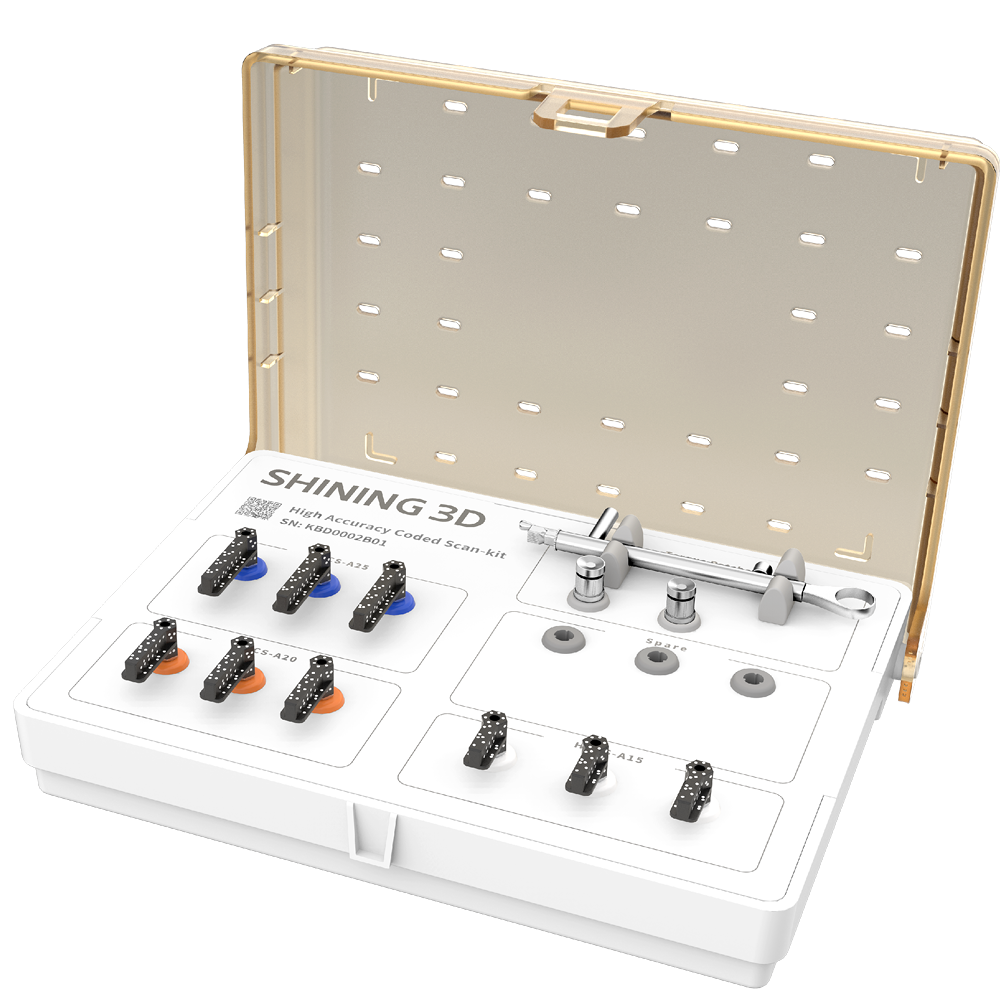
Coded scanbodies are only compatible with Aoralscan Elite and Aoralscan Elite Wireless (not other SHINING 3D intraoral scanners).
High-accuracy coded scanbodies are used on Multi-Unit Abutments (MUA) (compatibility requirement for that workflow).
Implant library coverage and expansion
The supported implant list is extensive and updated over time.
If your implant system is not listed in the software, it may be possible to add a compatible scanbody/library when the physical connection is supported.
Buyer checklist (quick)
Confirm whether your workflow uses MUA (especially for full-arch cases).
Confirm your implant system is supported in the current library list (or can be added).
If you collaborate with a lab, confirm they are comfortable receiving STL/OBJ/PLY exports from your workflow.
Software & Cloud Ecosystem
Aoralscan Elite Wireless comes with a software stack that supports capture, chairside checks, communication, and optional design and ortho-focused tools. This matters because speed alone doesn’t prevent remakes chairside verification and clean transfer to the lab do.
Big/IPG: 19×14 mm; Standard: 16×12 mm; Mini: 12×9 mm
Tip sterilization / reuse (manufacturer limit)
Up to 100 cycles (tip-dependent)
Connectivity
Wi-Fi 6
Typical wireless range (stated)
Up to ~5 m (environment dependent)
Battery, charging, and ports
Item
Specification
Battery type
Li-ion
Battery rating
3.6V, 3250 mAh
Scanning time per battery (stated)
Up to ~2 hours continuous scanning
Sleep / auto power behavior
Up to ~12 hours sleep, then auto power-off
Full charge time (stated)
~2.5 hours
Battery cycle rating
≥400 cycles (capacity ≥80% after 400 cycles, stated)
Charging / data port
USB-C (Type-C)
Power input
5V DC / 3A (USB-C Power Delivery requirement matters see Section 12)
System Requirements (PC & Mac)
Because scan processing and rendering are GPU-heavy, the computer matters almost as much as the scanner. Use the specs below as a practical baseline for smooth daily work.
Windows PC (baseline + practical guidance)
Component
Minimum / baseline (as listed)
Practical note
CPU
Intel i7-8700 or higher
Newer i7/i9 or equivalent helps with large full-arch cases
RAM
32 GB
Keep other heavy apps closed during scanning
Storage
SSD 256 GB or higher
More SSD space is helpful for multi-case storage
GPU
NVIDIA RTX 2060 6 GB or higher
Some support docs suggest RTX 3060+ for stronger performance
OS
Windows 10 Pro 64-bit or higher
Keep GPU drivers updated
Display
1920×1080, 60 Hz or higher
Higher resolution is fine; aim for stable refresh
Ports
USB-C (Type-C)
USB-C must provide proper power delivery (below)
macOS (Apple Silicon)
Component
Requirement / guidance
macOS
Ventura 13 or higher
RAM
16 GB or higher
Storage
SSD (1 TB suggested in the listing)
Apple Silicon
M-series supported (M1/M2/M3/M4 listed)
MacBook Air note
Not suggested in the listing due to thermal limits under sustained load
Practical USB-C power note (important)
For stable operation, your USB-C port should provide Power Delivery at 5V / 3A. If your computer’s USB-C port cannot supply that consistently, use a powered hub or the setup your supplier suggests for your workstation.
What’s in the Box
Package contents can vary by region or distributor bundle, but these items are explicitly stated for the Elite Wireless package and workflow.
Standard package items (commonly listed)
Aoralscan Elite Wireless scanner unit
Tips:
Big / IPG tip
Standard tip
Mini tip
Two batteries
Charging case
Clinic setup items (often part of the working setup)
Cradle / charging base (used for room-to-room workflow setups)
USB-C cable(s) / power accessories (bundle-dependent)
Maintenance note
Periodic calibration is part of routine ownership for many intraoral scanners. Ask your supplier what calibration accessory is included in your local package and the calibration schedule they follow.
unboxing video:
A short audio overview of the Aoralscan Elite Wireless (key features, workflows, and who it’s for):
An Overview video:
You can watch the step-by-step implant scanning process in our YouTube video below:
unboxing video:
Is it truly wireless? What’s the range?
Yes Aoralscan Elite Wireless connects over Wi-Fi 6. The stated working range is up to about 5 meters, but walls, interference, and room layout can affect this.
How long does the battery last, and can I swap batteries chairside?
The stated figure is up to ~2 hours of continuous scanning per battery. The scanner uses swappable batteries, and the package includes two batteries plus a charging case, so teams can rotate batteries during a busy schedule.
Can I export open files to my lab or CAD software?
Yes. It exports STL, OBJ, and PLY, which are widely accepted for lab communication and CAD/CAM workflows.
Does it support full-arch and edentulous workflows?
Yes. It supports:
An edentulous scanning mode
An IPG workflow intended for full-arch implant cases
A Big / IPG tip aimed at full-arch coverage, especially in edentulous cases
What is the “Cap Scanbody” workflow used for?
It is designed for immediate loading situations where soft-tissue movement, blood, and saliva can make alignment more difficult. Cap Scanbody is used to help the software align data more consistently in those conditions.
Which implant systems are supported? Can new libraries be added?
Implant library coverage is broad and updated over time. If a system is not listed, it may be possible to add a compatible scanbody/library when the physical connection is supported this is typically handled through the manufacturer/supplier workflow.
Do coded scanbodies work with other scanners?
Coded scanbodies for this workflow are stated as compatible only with Aoralscan Elite and Aoralscan Elite Wireless (not other SHINING 3D scanners).
Any special compatibility rule for high-accuracy coded scanbodies?
Yes. High-accuracy coded scanbodies for this workflow are used on Multi-Unit Abutments (MUA).
What PC or Mac do I need (quick answer)?
Windows: i7-8700+, 32 GB RAM, SSD, NVIDIA RTX 2060+ (some guidance suggests RTX 3060+), Windows 10 Pro 64-bit+
Mac: Ventura 13+, 16 GB RAM+, SSD (1 TB suggested), supported M-series chips (Air not suggested in the listing for sustained load)
Ensure USB-C can supply 5V/3A Power Delivery.
Reviews
There are no reviews yet.
Be the first to review “SHINING3D Aoralscan Elite Wireless Intraoral Scanner” Cancel reply



Reviews
There are no reviews yet.