Dental Desktop Scanners for Canadian Dental Labs
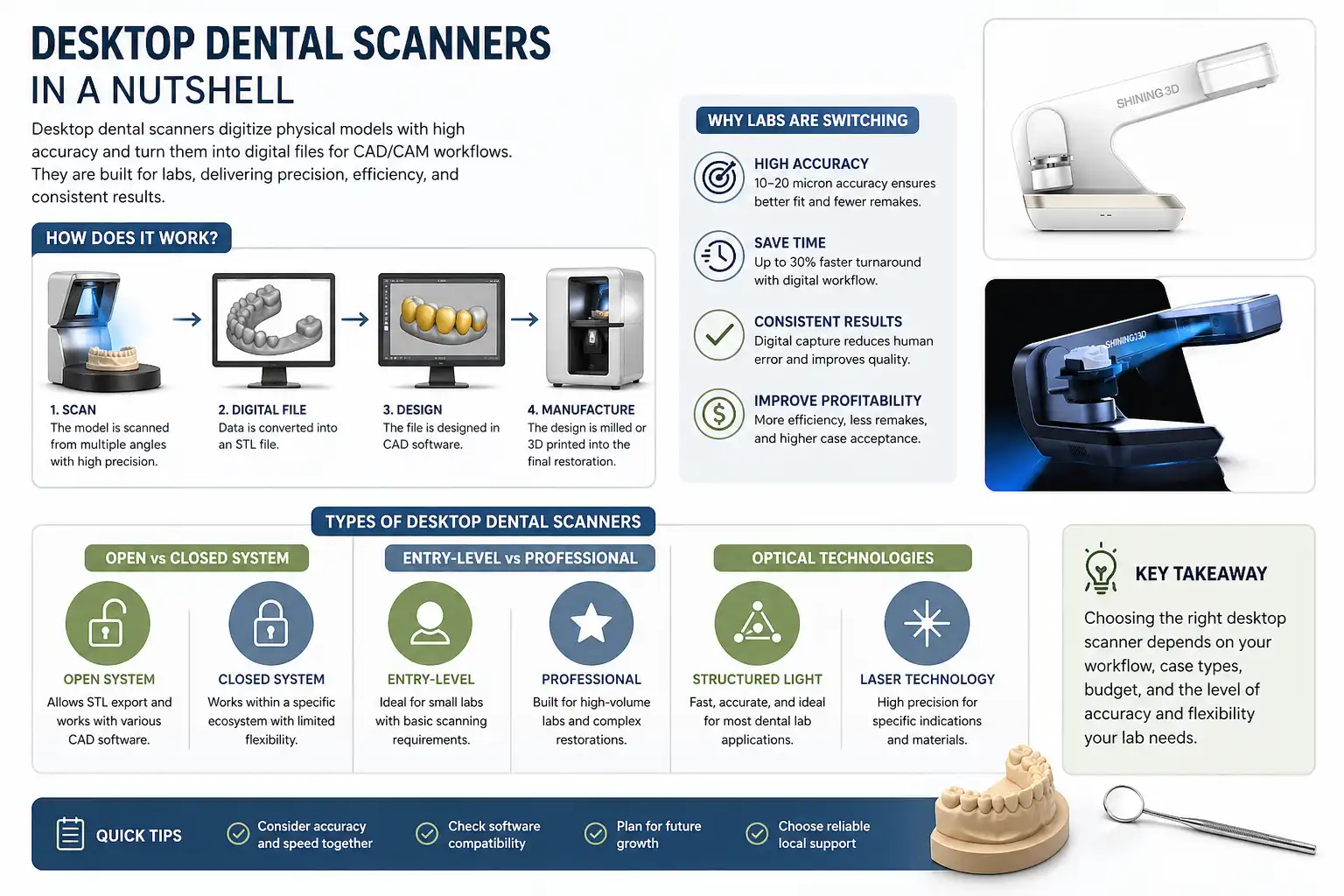
FiroozDental offers dental desktop scanners in Canada for laboratories that need to digitize physical dental models, impressions, dies, abutments and articulator-based cases before CAD design and production.
The right scanner should be selected around the objects you scan, required accuracy, daily case volume, scan speed, articulator workflow and software compatibility. File output and downstream CAD/CAM requirements should also be confirmed before purchase.
Use this category to compare the available SHINING 3D AutoScan systems, review the main buying criteria and move to the appropriate product or support path for exact specifications, current pricing and availability.
Narrow the Desktop Scanner Options
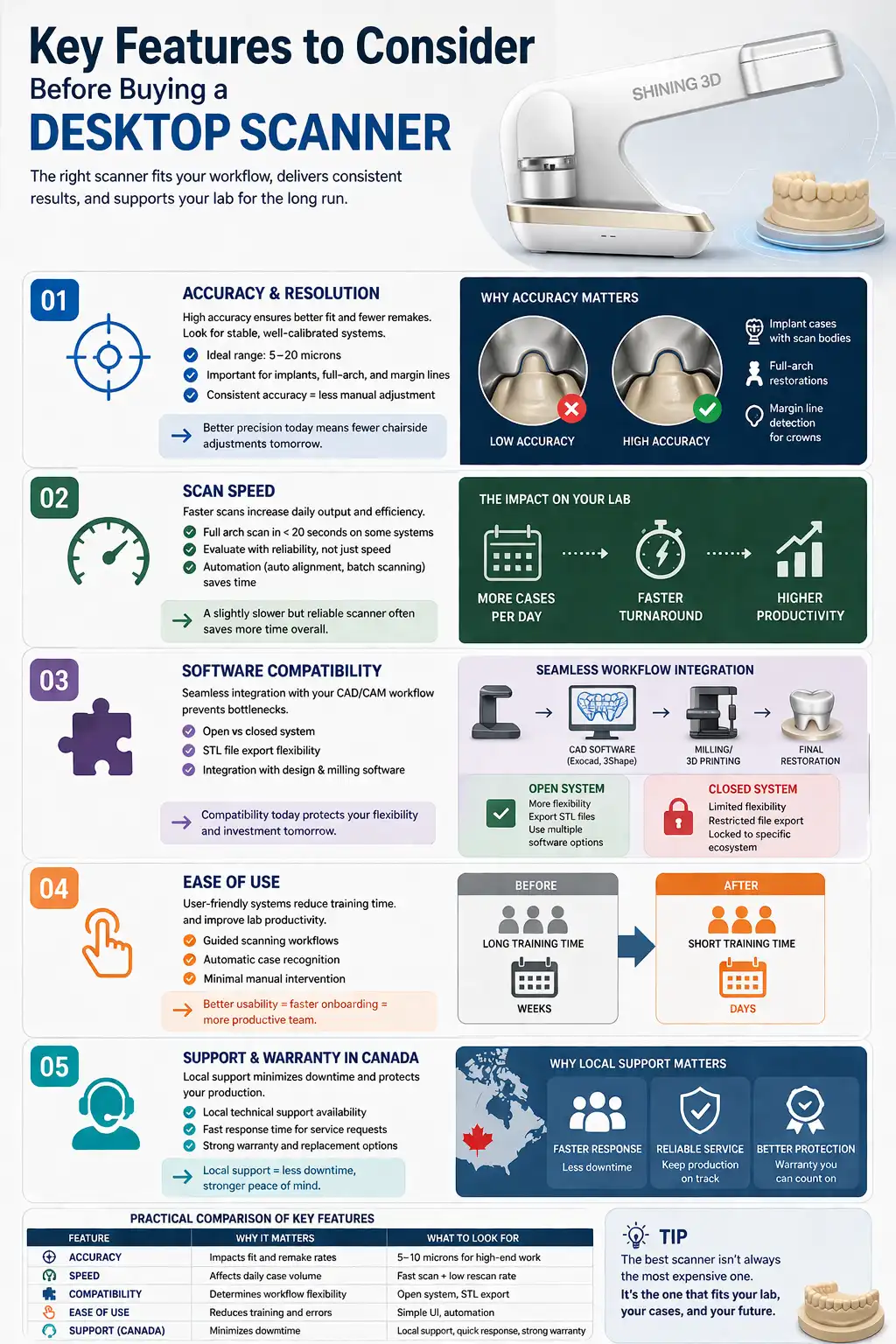
Use these factors when reviewing the products in this category rather than comparing scanners only by brand or headline specifications.
What Does Your Lab Need to Digitize?
Start with the physical records and cases entering the laboratory. Different scanning requirements can change which model is the better fit.
Models, Dies & Crown-and-Bridge Cases
For routine restorative work, compare scanning consistency, practical scan time, die handling and how easily the resulting data moves into the laboratory's existing design workflow.
Impression Scanning
If physical impressions remain part of the laboratory intake process, confirm that impression scanning is supported by the exact model and review the relevant scan mode and workflow before purchase.
Implant Models & Abutments
Implant-related laboratory work can place greater importance on detail capture, stable scanning and correct digital transfer. Confirm the exact supported workflow for the cases your laboratory receives.
Articulator & Multi-Object Workflows
Laboratories using physical articulators or scanning multiple objects should compare articulator support, positioning, scan modes and the software steps required after data capture.
How to Choose a Dental Desktop Scanner
Keep the Category focused on the purchasing decision. Detailed scanner education and full comparisons belong in dedicated Buying Guides.
Define the Scan Objects
List the models, impressions, dies, implant components and articulator cases that must be handled in the normal laboratory workflow.
Compare Accuracy & Detail
Review the published specification for the exact scanner and judge it against the complexity of the cases your lab regularly produces.
Evaluate Real Workflow Speed
Compare scan time together with object handling, rescanning, processing and the number of cases expected each day.
Confirm File & CAD Compatibility
Check supported output formats and how scan data will move into the CAD software and production systems already used by the laboratory.
Check Setup, Training & Support
Include workstation requirements, onboarding, software setup and the available support path in the purchasing decision.
Desktop Scanner Selection Checklist
Confirm these points before moving from the Category to a specific scanner.
| Selection Factor | What to Check | Why It Matters |
|---|---|---|
| Scan Objects | Models, impressions, dies, abutments and articulators | Determines whether the scanner fits your case mix |
| Accuracy | Exact model specification and scanning mode | Important for detailed restorative and implant workflows |
| Scan Speed | Scan time for the objects your lab uses most often | Affects practical daily throughput |
| Articulator Workflow | Physical support and transfer requirements | Important for labs using articulator-based cases |
| File Output | Supported formats and export workflow | Controls how data moves into CAD/CAM |
| Software | Scanner software, workstation and CAD integration | Affects implementation and daily use |
| Price / Stock | Current configuration, quote and availability | Should be confirmed immediately before purchase |
Explore the SHINING 3D AutoScan Family
The current FiroozDental desktop-scanner category includes AutoScan DS-EX Pro C and AutoScan DS-EX Pro H. Use the product listings for current configuration, specifications, pricing and availability.
AutoScan DS-EX Pro C
A laboratory desktop scanner for digitizing common dental objects and moving physical cases into a digital CAD/CAM workflow.
- Models and dies
- Impression scanning
- Articulator workflow support
- STL, OBJ and PLY output
AutoScan DS-EX Pro H
A professional SHINING 3D desktop scanner designed for detailed dental laboratory scanning across models, impressions, articulators and implant-related objects.
- Dual 5 MP camera system
- Published 8 μm accuracy specification
- Articulator transfer support
- STL, PLY and OBJ output
Confirm Where the Scan Data Needs to Go
A desktop scanner should be evaluated as the entry point to the laboratory CAD/CAM workflow. Before purchasing, confirm how scan data will move from the scanner into design software and then into the production system.
Do not assume compatibility from the scanner brand alone. Check the exact output formats, software version, workstation requirements and downstream workflow for the model being considered.
Dental Desktop Scanner Price in Canada
Pricing can change according to scanner model, configuration, current promotion and included items. For that reason, this Category uses current product information and quotation rather than a fixed market-wide price range.
Check the exact AutoScan model and current commercial information rather than relying on a generic desktop-scanner price estimate.
Scanner availability and configuration can change. Confirm the exact product before planning installation or implementation.
Request the current price, availability and relevant configuration for the scanner your laboratory is considering.
From Physical Case to Digital Production
Desktop scanners digitize physical laboratory records. The next purchasing decision depends on where the approved CAD design will be produced.
Explore the SHINING 3D Dental Lab Ecosystem
The AutoScan family handles the laboratory digitization stage within the wider SHINING 3D dental ecosystem. FiroozDental currently lists desktop scanning alongside SHINING 3D intraoral scanning and dental 3D printing products.
Use the Brand Hub when you want broader context about how AutoScan fits alongside the other SHINING 3D product families, then return to the individual equipment page for model-specific information.
Explore SHINING 3D DentalDesktop Scanner Setup & Workflow Support
Support should be part of the equipment decision when the scanner needs to connect with workstation hardware, software and downstream CAD/CAM systems.
Scanner Selection
Share the objects your lab scans, daily workload and existing workflow when comparing the available AutoScan models.
Setup & Compatibility
Confirm workstation, software, connectivity and file requirements before introducing the scanner into daily production.
After-Sales Support
Use the support hub for onboarding, training, troubleshooting, warranty/service routing and product-specific assistance.
Continue to the Next Relevant Decision
Use the page that owns the next workflow or purchasing question rather than expanding this Category into a complete technical article.
FAQs
What should I compare when choosing a dental desktop scanner?
Start with the physical objects your lab needs to scan. Then compare the exact scanner's accuracy, practical scan speed, articulator workflow, file output, software requirements and available support.
Can a dental desktop scanner scan physical impressions?
Some desktop scanners support impression scanning, but the capability and workflow are model-specific. Confirm impression support on the exact scanner before purchasing it for this purpose.
What is the difference between a desktop scanner and an intraoral scanner?
A desktop scanner is primarily used in the laboratory to digitize physical objects such as models, impressions and dies. An intraoral scanner captures dental structures directly from the patient at chairside. They can serve different stages of the same digital workflow.
How do I check desktop scanner software compatibility?
Confirm the exact scanner's output formats, scanner software, workstation requirements and how the exported data enters your CAD software and downstream production workflow.
Does the scanner need to support my physical articulator?
If articulator-based cases are part of your laboratory workflow, confirm the exact articulator scanning or transfer capabilities of the scanner before purchase.
How much does a dental desktop scanner cost in Canada?
Pricing depends on the exact scanner, configuration, current promotion and included items. Check the current product information or request a quote rather than relying on a fixed market-wide range.
How do I check whether a desktop scanner is currently available?
Confirm the exact model through the current product listing or contact FiroozDental for current availability, pricing and configuration before planning installation.
Can FiroozDental help with setup and training?
FiroozDental provides a support route for onboarding, setup, software and workflow guidance, training, troubleshooting and product-specific assistance. Include the exact scanner model and laboratory workflow when requesting support.
Choose the Scanner That Fits Your Laboratory Workflow
Compare the available AutoScan models, confirm software and CAD/CAM compatibility, and check the current price and availability before purchase.