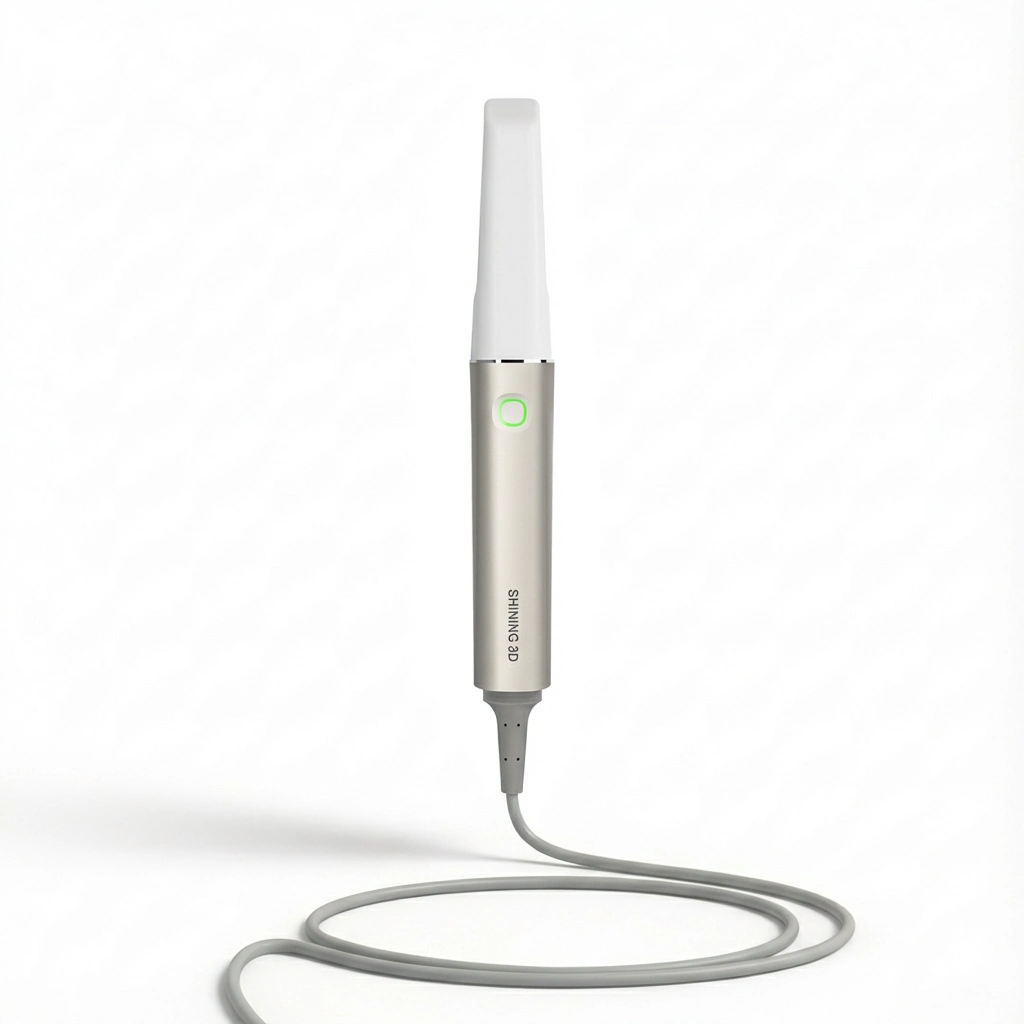
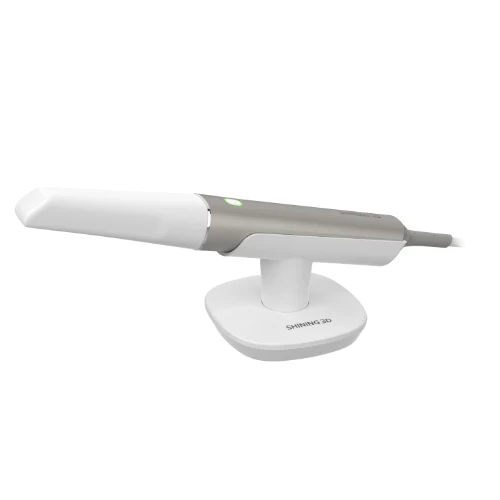
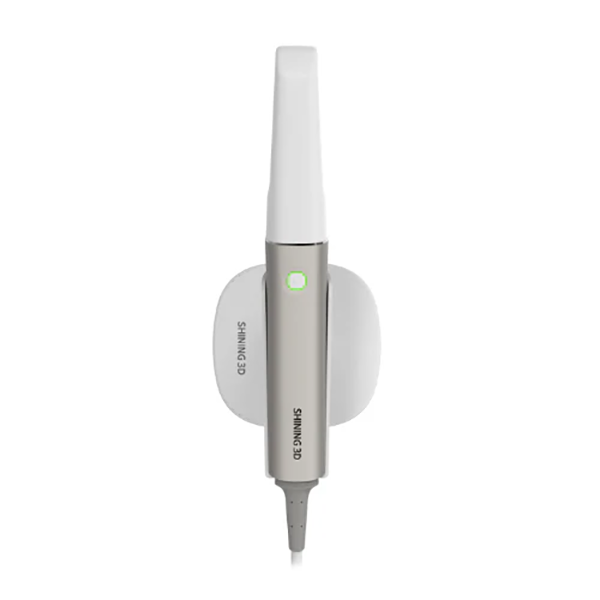
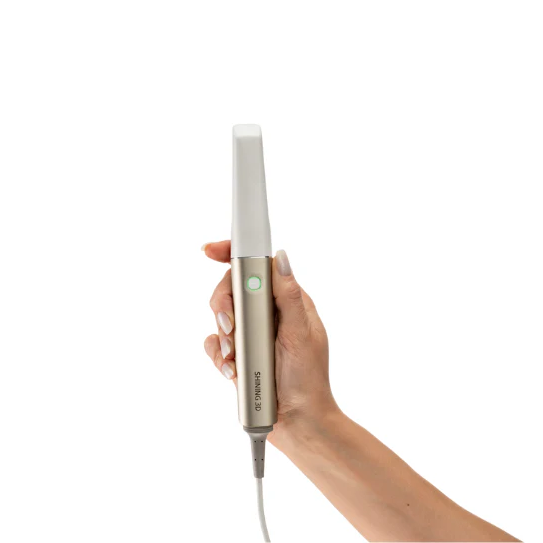
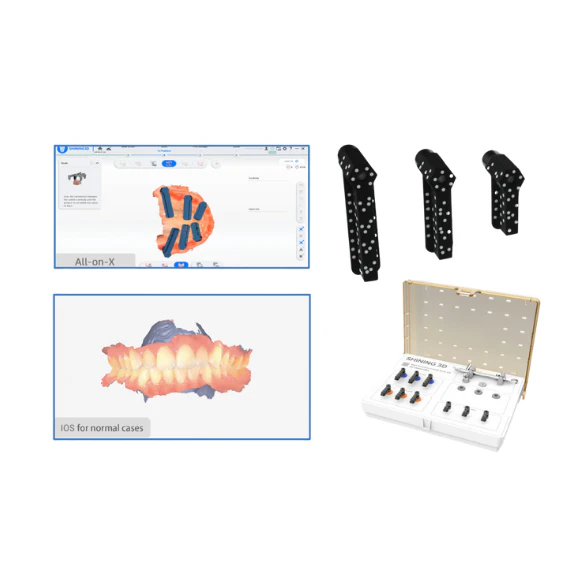

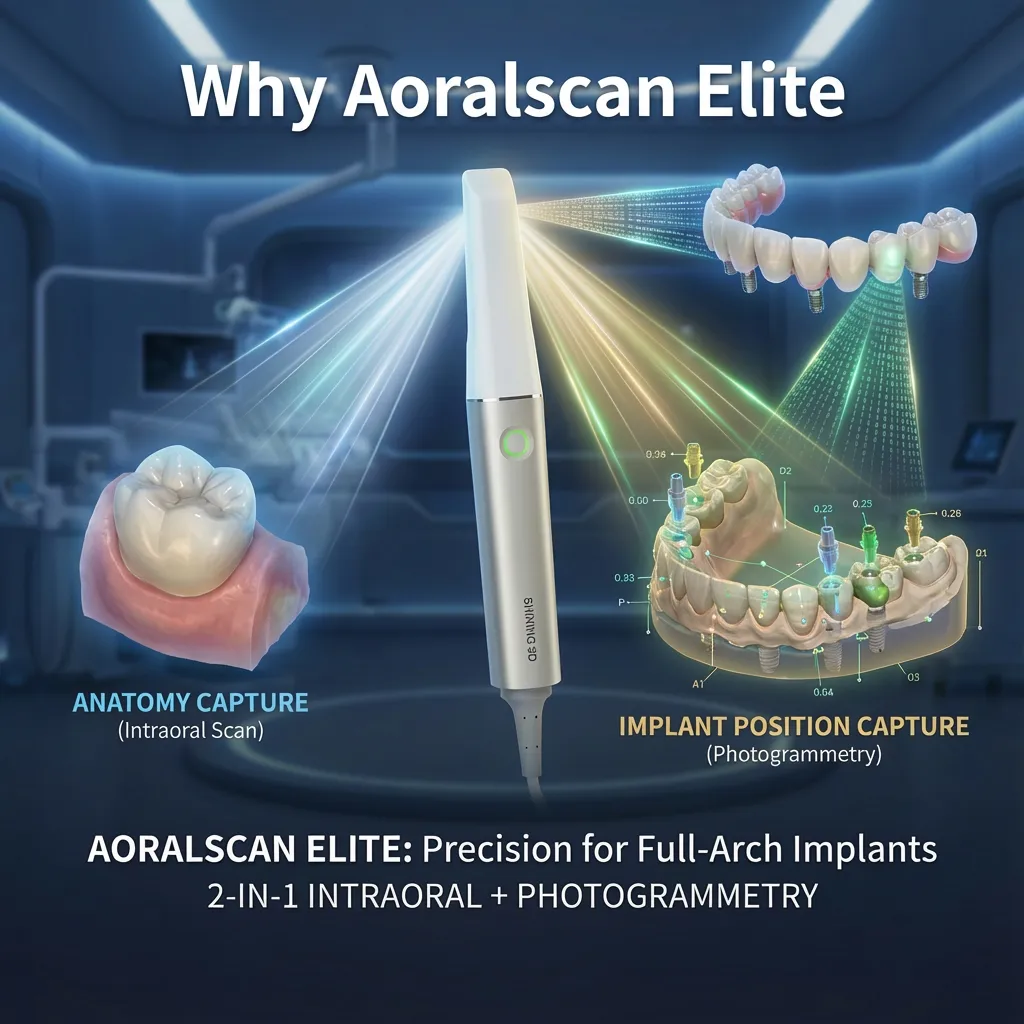


Aoralscan Elite by SHINING 3D is a 2-in-1 dental scanning device that combines conventional intraoral scanning with intraoral photogrammetry in one device, built for clinicians who want consistent accuracy in implant cases especially full-arch and edentulous workflows. It captures detailed color scans for restorative and orthodontic work, then switches to photogrammetry mode to record implant positions with high precision where standard stitching-based scans can struggle. The scanner is powder-free, lightweight (124 g without cable), connects via USB-C, and supports common export formats (STL, OBJ, PLY) for straightforward handoff to CAD/CAM and lab production. In day-to-day use, it’s aimed at reducing misfit risk in complex implant restorations, minimizing remakes, and keeping the clinical workflow moving from scan to design and fabrication with fewer surprises.
A short audio overview of the Aoralscan Elite (key features, workflows, and who it’s for):
If you already scan routinely, you’ve probably noticed a pattern: single units and short-span cases usually go smoothly, but full-arch implant work is where small inaccuracies start to compound. A tiny mismatch in implant position data can turn into a framework that rocks, a bite that needs repeated adjustment, or a case that returns from the lab with “something’s off.” SHINING 3D Aoralscan Elite is built around that reality. It combines standard intraoral scanning with intraoral photogrammetry in one system, so you can handle everyday restorative scans and also capture implant position data in workflows where conventional stitching-based scans are more prone to drift.
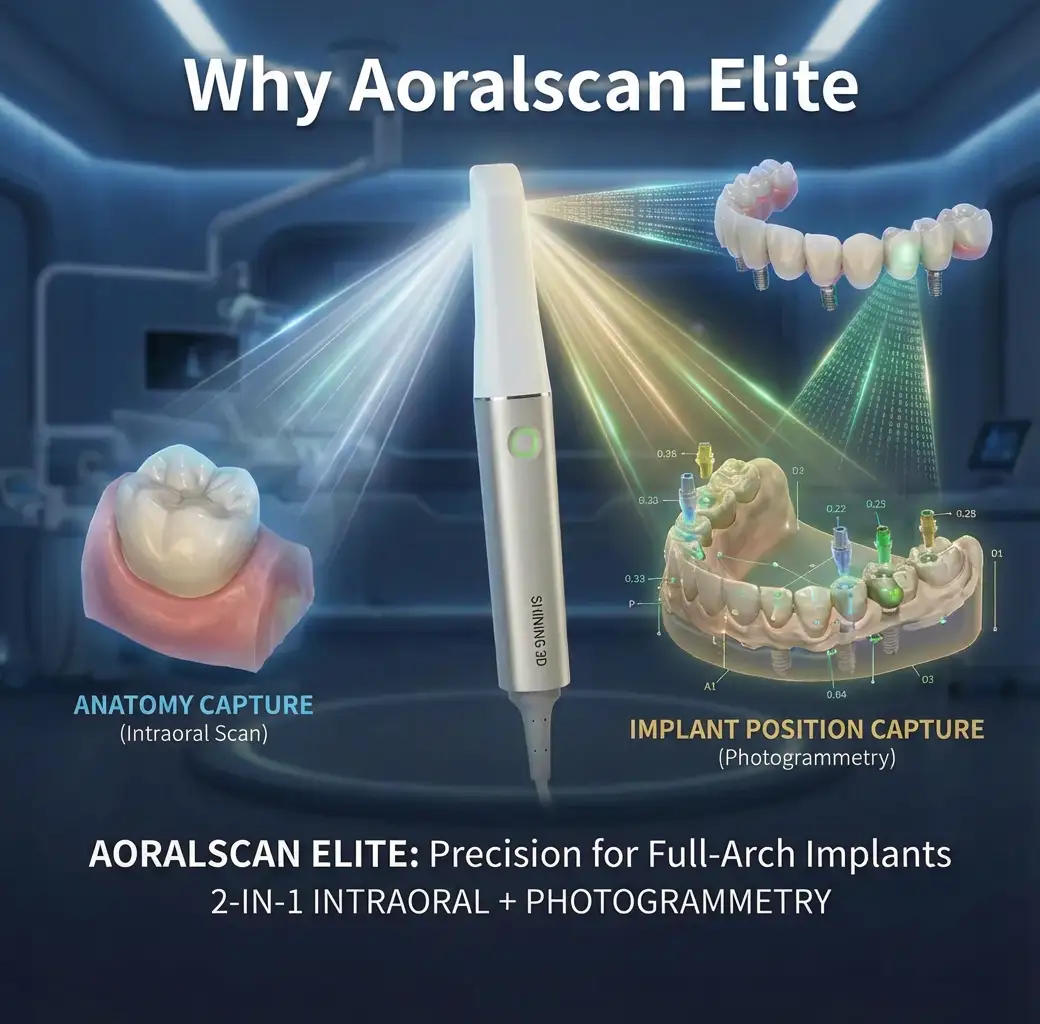
Full-arch implant scanning isn’t “hard” because operators don’t know how to scan it’s hard because the situation is unforgiving: long spans, multiple scan bodies, soft tissue movement, saliva, limited access, and the simple fact that errors can accumulate over distance.
And the clinical “cost” of that deviation is rarely abstract. It shows up as:
The Solution: Intraoral Scanning + Intraoral Photogrammetry (2-in-1)
Aoralscan Elite addresses the problem by letting you choose the right capture method for the job without switching devices.
How it works (3 steps, in plain terms):
What changes in day-to-day practice: instead of forcing one scanning approach to cover every scenario, you separate “anatomy capture” from “implant position capture” when the case demands it. That’s the key idea behind aoralscan elite intraoral photogrammetry scanner positioning: it targets the failure points that matter most in multi-implant, long-span restorations.
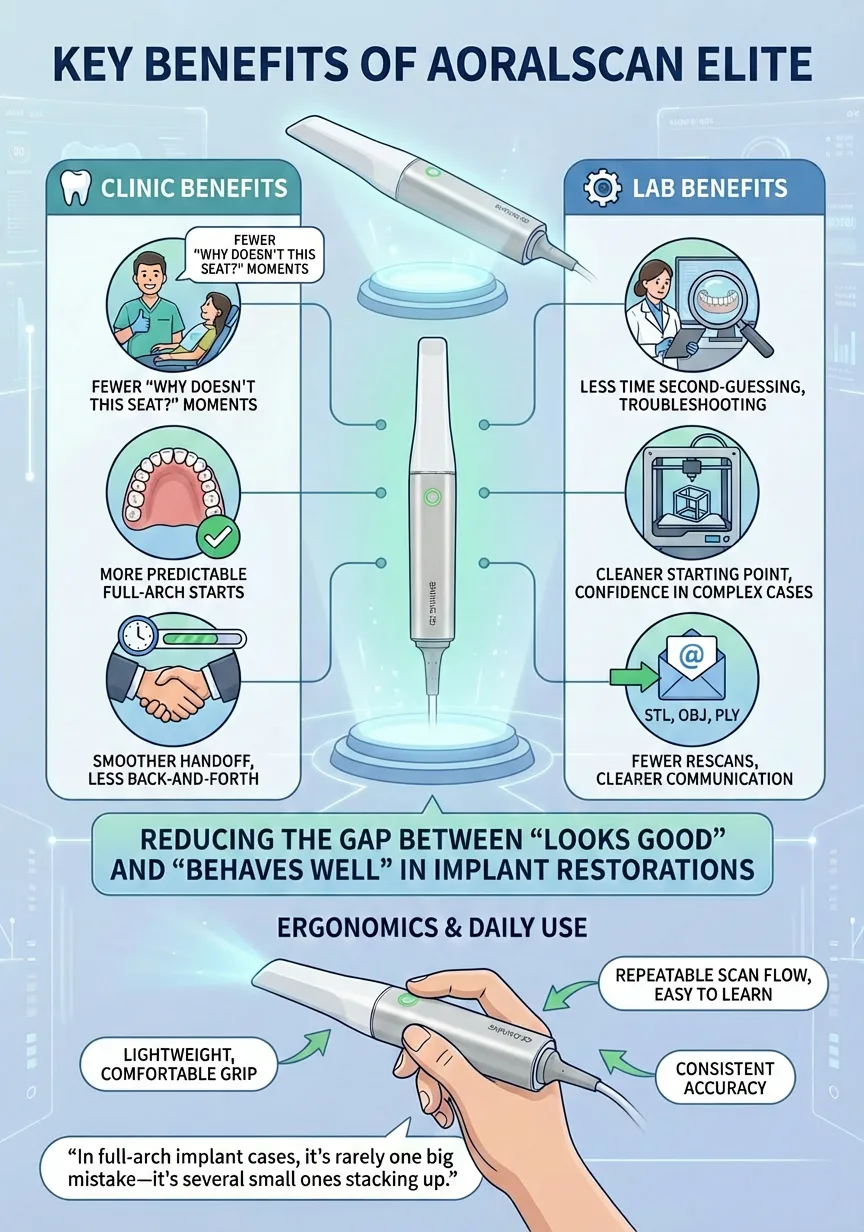
Below are the benefits described the way clinicians and labs feel them not as a spec sheet.
| Benefit | What it means in clinic | What it means in the lab |
| Fewer “why doesn’t this seat?” moments | Less time spent second-guessing whether the scan is the issue | Less time troubleshooting fit issues that originate upstream |
| More predictable full-arch starts | Better confidence sending a complex case forward | A cleaner starting point for framework planning |
| Smoother handoff between roles | Less back-and-forth with the lab about what to redo | Fewer messages asking for rescans or missing captures |
If you want a quick mental model: Elite is aimed at reducing the gap between a scan that looks good and a dataset that behaves well when you design and manufacture an implant restoration.
For many teams, the breaking point is the “long-span + multiple implants + limited time” combination. In those workflows, you’re not just trying to capture surfaces you’re trying to preserve positional relationships.
A big source of delay isn’t scanning speed it’s rework. A scan that needs repeating costs more time than any “slower” scan done correctly the first time. Where Aoralscan Elite helps is in producing exportable outputs that labs can use without odd format barriers.
Also important for Canadian buyers: a page that states export formats and intended workflows clearly reduces purchase anxiety, because compatibility questions are usually the first deal-breaker.
Even the best workflow fails if the scanner is unpleasant to use for long sessions or hard to teach across a team. Operator-friendly design shows up in small, daily details:
In clinics, the difference between “works in a demo” and “works every day” is usually the staff experience. Aoralscan Elite is positioned to be used frequently, not occasionally.
“In full-arch implant cases, it’s rarely one big mistake it’s several small ones stacking up.”
In full-arch implant dentistry, the real challenge is rarely capturing tooth anatomy. The difficult part is recording implant position data with enough consistency that a framework seats passively and predictably. Conventional intraoral scanning builds a 3D model by stitching together many images. Over short distances this works well, but across a full arch especially in edentulous cases small stitching errors can accumulate and affect the final result.
Intraoral photogrammetry approaches this problem from a different angle. Instead of relying primarily on long-range image stitching, it calculates the spatial relationship between implants using multiple images of coded reference markers. In practical terms, the focus shifts from surface texture to the geometry between implants. This is why photogrammetry is often considered when positional accuracy, rather than surface detail, becomes the main concern.
What this means clinically is not that every scan becomes “perfect,” but that the method is better suited to situations where long spans and multiple implants make conventional scanning less predictable. When implant position is the limiting factor in a case, photogrammetry provides a more stable way to capture those relationships.
IPG mode is best used when the goal is to reduce the chance that small positional inaccuracies turn into larger problems during try-in or delivery. These situations are most common in multi-implant and long-span restorations.
Best-use scenarios (quick guide):
| Case type | Why IPG mode helps | What you gain clinically |
| Edentulous full-arch (All-on-X / fixed full-arch) | Few natural landmarks and long span increase error risk | More consistent implant relationship data for framework fit |
| Multiple implants across a long span | Error can build as scan length increases | Better control of inter-implant geometry |
| Cases sensitive to passive fit | Small angular or positional shifts can affect seating | Fewer surprises at try-in |
| Cases with a history of remakes | Repeat issues often point to capture limitations | Greater confidence in the dataset sent to the lab |
In these workflows, the benefit is not speed it’s predictability. The aim is to give the lab a dataset that behaves the way the mouth does.
It’s equally important to be clear about when photogrammetry is unnecessary.
Standard intraoral scanning is usually sufficient for:
In these scenarios, cumulative positional error is rarely the limiting factor, so an IOS-first workflow is typically faster, simpler, and more efficient for the clinical team.
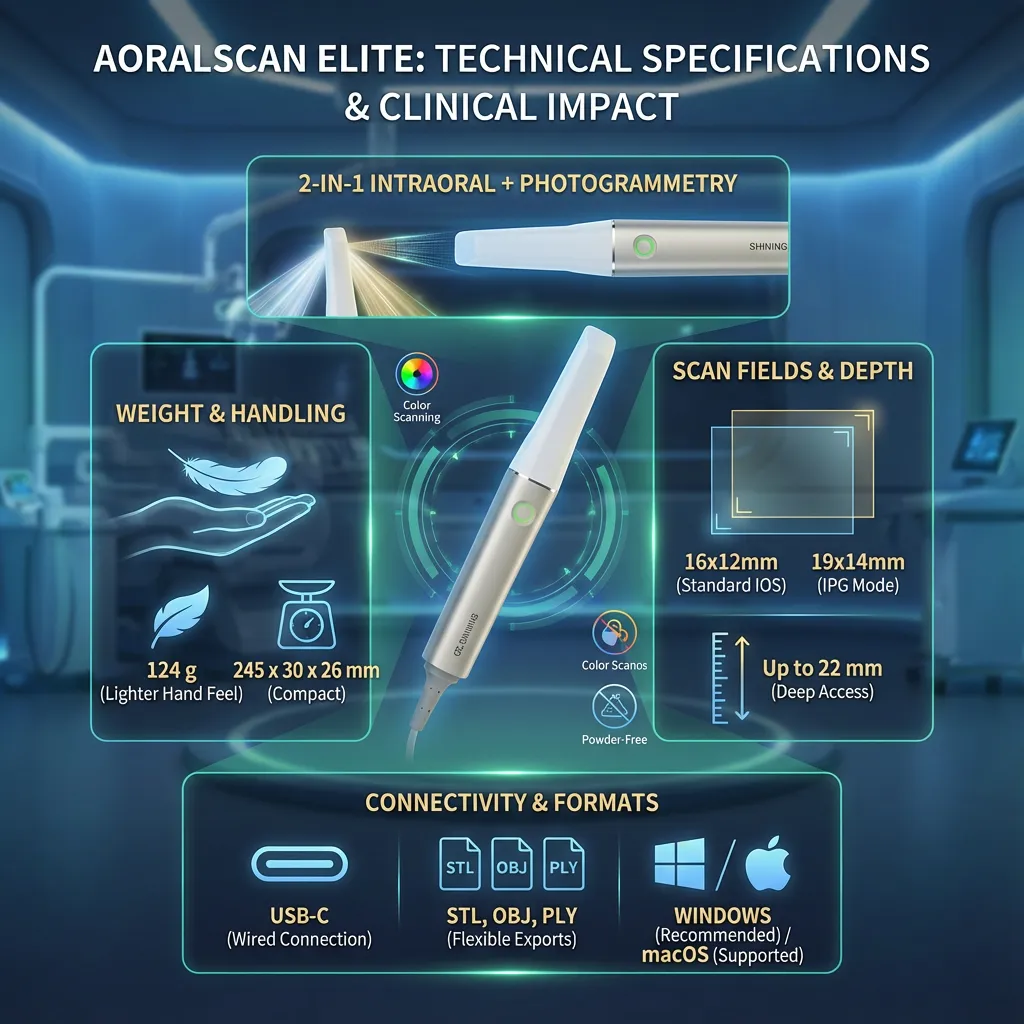
This section is meant to answer the practical questions clinicians and clinic owners ask before they commit: What are the core hardware specs? What does it connect to? What files does it export? And what do these numbers actually mean in daily clinical work especially for implants and full-arch cases?
Core specifications
| Category | Specification | Notes for day-to-day use |
| Device type | 2-in-1 intraoral scanner + intraoral photogrammetry mode | One unit for routine IOS scans and implant-position capture workflows |
| Scanning style | Powder-free, color scanning | Useful for patient communication and margin/soft-tissue context |
| Weight | 124 g (without cable) | Lighter hand feel during longer scanning sessions |
| Dimensions | 245 × 30 × 26 mm | Compact form factor that’s easier to maneuver posteriorly |
| Standard scan field | 16 × 12 mm | Balanced field size for restorative and general intraoral scans |
| IPG scan field | 19 × 14 mm | Larger capture window for photogrammetry-specific acquisition steps |
| Scan depth | Up to 22 mm | Helps in deeper areas where access and angulation are limited |
| Connection | USB-C | Common, modern connector; simple workstation hookup |
| Output formats | STL, OBJ, PLY | Flexible exports for most lab/CAD workflows |
| Platform support | Windows (recommended), macOS (supported depending on configuration) | Most clinics run Windows workstations; confirm your exact setup before rollout |
Weight & handling (124 g, compact body):
For clinicians doing multiple scans per day or longer sessions like full-arch and implant scans hand fatigue is real. A lighter scanner generally helps with steadier passes and fewer “micro-pauses” that disrupt rhythm, particularly when you’re working around cheeks, tongue, and posterior access.
Scan depth (up to 22 mm):
Depth capability matters most when you can’t keep the scanner perfectly centered: posterior areas, high palatal vaults, and situations where soft tissue encroaches on your line of sight. A deeper working range can reduce the need to “fight the angle,” which can lower rescans in tricky zones.
Scan field (standard vs IPG):
Field size isn’t about “bigger is always better.” A field that’s too large can be harder to stabilize; too small can slow coverage. The standard field is tuned for general intraoral capture, while the IPG field supports the photogrammetry workflow where capturing reference markers cleanly is the priority.
Color, powder-free capture:
In practice, color scanning supports better documentation and communication especially when you need to show tissue areas, preparation lines, or “where the scan looks questionable.” Powder-free scanning simplifies chairside steps and keeps your routine consistent across staff.
File exports (STL / OBJ / PLY):
USB-C connectivity:
A straightforward wired connection is still the default in many clinics because it avoids battery management and reduces variables during longer sessions. It also makes it easier to standardize setups across operatories: scanner + workstation + predictable performance.
Platform support (Windows recommended, macOS supported):
Most dental scanning workstations in clinics and labs are Windows-based. If your clinic uses macOS, you can still plan around it just treat it as a “confirm first” scenario so you don’t run into workflow interruptions after purchase.
Even with strong specs, the scanning experience depends heavily on how you set up the operatory:
Aoralscan Elite’s spec set is geared toward predictable clinical use: a lightweight, compact scanner for everyday restorative scanning, plus a dedicated photogrammetry mode for cases where implant position capture is the main risk especially full-arch and edentulous workflows. The USB-C connection and common export formats support straightforward handoff to labs and CAD processes, while the scan depth and field sizes are chosen to stay workable in real intraoral conditions not just ideal demos.
When you’re evaluating an intraoral scanner for daily clinical use, the “hidden costs” are rarely in the headline specs they show up in setup time, workstation stability, and how quickly the whole team can operate it without rescans. With SHINING 3D Aoralscan Elite, your implementation plan should cover three areas from day one: what arrives with the system, what your clinic needs to run it reliably, and how you standardize scanning across operators.
Because bundles can vary by region and distributor, the safest approach is to confirm the exact package contents on your quote. In most deployments, you should expect the essentials required for chairside use and day-to-day maintenance, such as:
Clinic reality tip: before the scanner arrives, decide who “owns” the first week of rollout: one lead operator (often a senior assistant or digital coordinator) who becomes the internal reference for scan path consistency, basic troubleshooting, and clean handoff to the lab.
A scanner can feel “great” in a demo and frustrating in the operatory if the workstation isn’t stable. Your setup should prioritize predictable performance over pushing minimum requirements.
Workstation checklist (practical, not theoretical)
Operatory setup checklist
If your goal is consistent outcomes across staff, you need a short rollout plan:
That kind of standardization matters more than shaving a minute off scanning time.
Aoralscan Elite is most valuable when it fits cleanly into the workflow you already run clinic to lab without forcing awkward file conversions, extra steps, or “special handling.” The goal is simple: capture accurate clinical data, export it in formats your partners can use, and move the case forward without delays.
Scan (chairside)
Design (CAD)
Manufacture (mill/print)
Export formats (why they matter)
Aoralscan Elite supports common export formats such as STL, OBJ, and PLY. Practically:
This matters because your lab may have a preferred input type, and your clinic may work with more than one lab. Flexible exports reduce dependency on one specific path.
Most delays happen after scanning not during it because the handoff is unclear. A strong handoff includes:
If your clinic runs both restorative and implant workflows, it helps to have two short templates: one for routine restorative cases and one for implant cases.
Software fit isn’t only about features; it’s about whether multiple people can use it without variations that create inconsistent results. Aoralscan Elite workflows should be implemented with:
That’s what keeps outcomes consistent across shifts and reduces the “only one person can scan well” dependency.
Pricing for Aoralscan Elite in Canada can vary depending on the package configuration and what’s included beyond the scanner itself typically factors like warranty terms, training/onboarding, service coverage, bundled accessories or tips, and how the clinic plans to deploy it (single operatory vs multi-operatory, implant-heavy vs general). For most buyers, the most useful way to evaluate cost is to compare the full implementation bundle hardware + training + support against what it saves in remakes, chairside verification time, and repeated rescans in complex cases, especially full-arch implant workflows.
Aoralscan Elite is a strong fit if your clinic’s scanning needs go beyond routine restorative work and you regularly face cases where implant position data is the limiting factor.
Best fit for:
Not the ideal first choice if:
If you’re choosing Aoralscan Elite, the practical value comes down to one thing: predictability across workflows. You get a scanner that can handle routine intraoral scanning for everyday restorative needs, while also supporting implant-focused workflows where long spans and multiple implants raise the stakes. The system’s common export formats help keep clinic-to-lab handoffs straightforward, and a well-planned setup workstation stability, infection-control routine, and standardized scan protocols does more than any spec sheet to keep results consistent. For clinics in Canada that want one system to cover both daily scanning and complex implant cases, the best outcomes come from pairing the hardware with disciplined implementation: train the team, define a repeatable scan path, and treat the lab handoff as part of the clinical procedure, not an afterthought.
Reviews
There are no reviews yet.