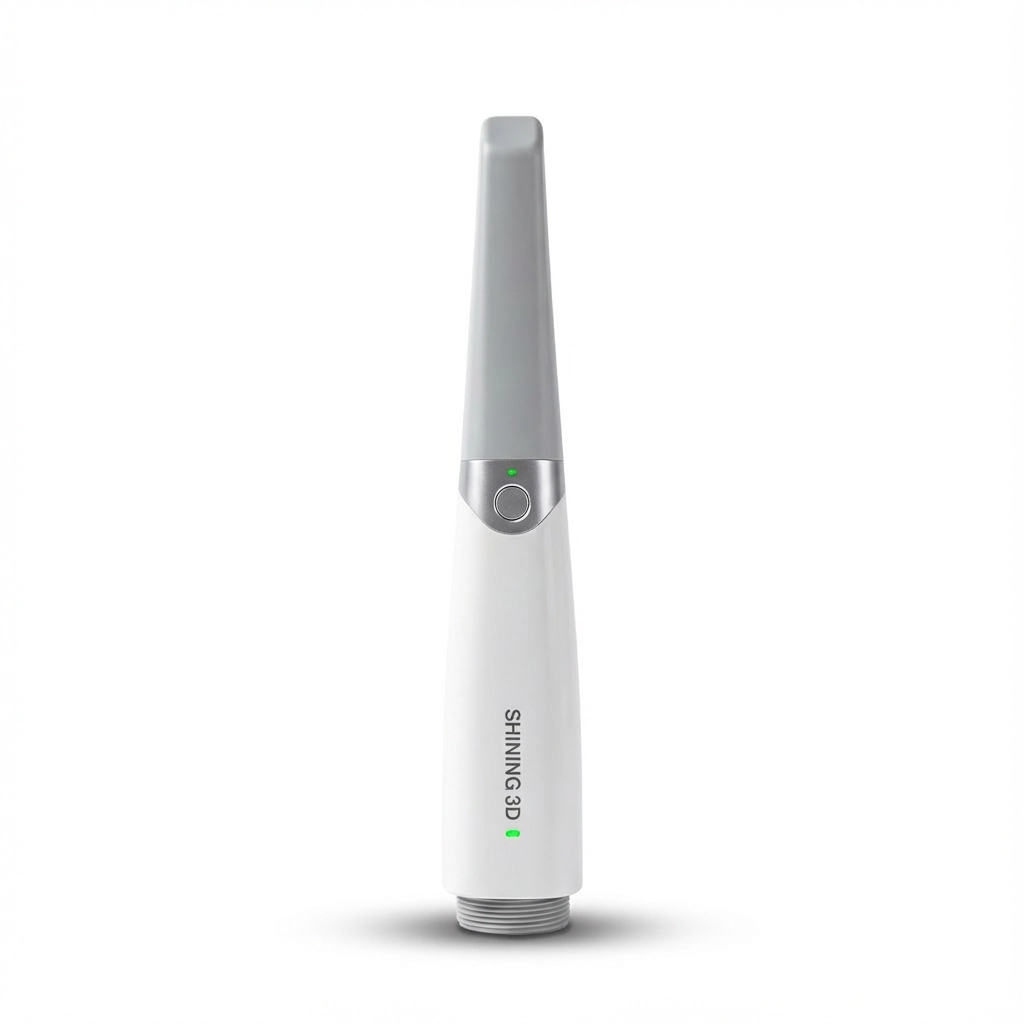
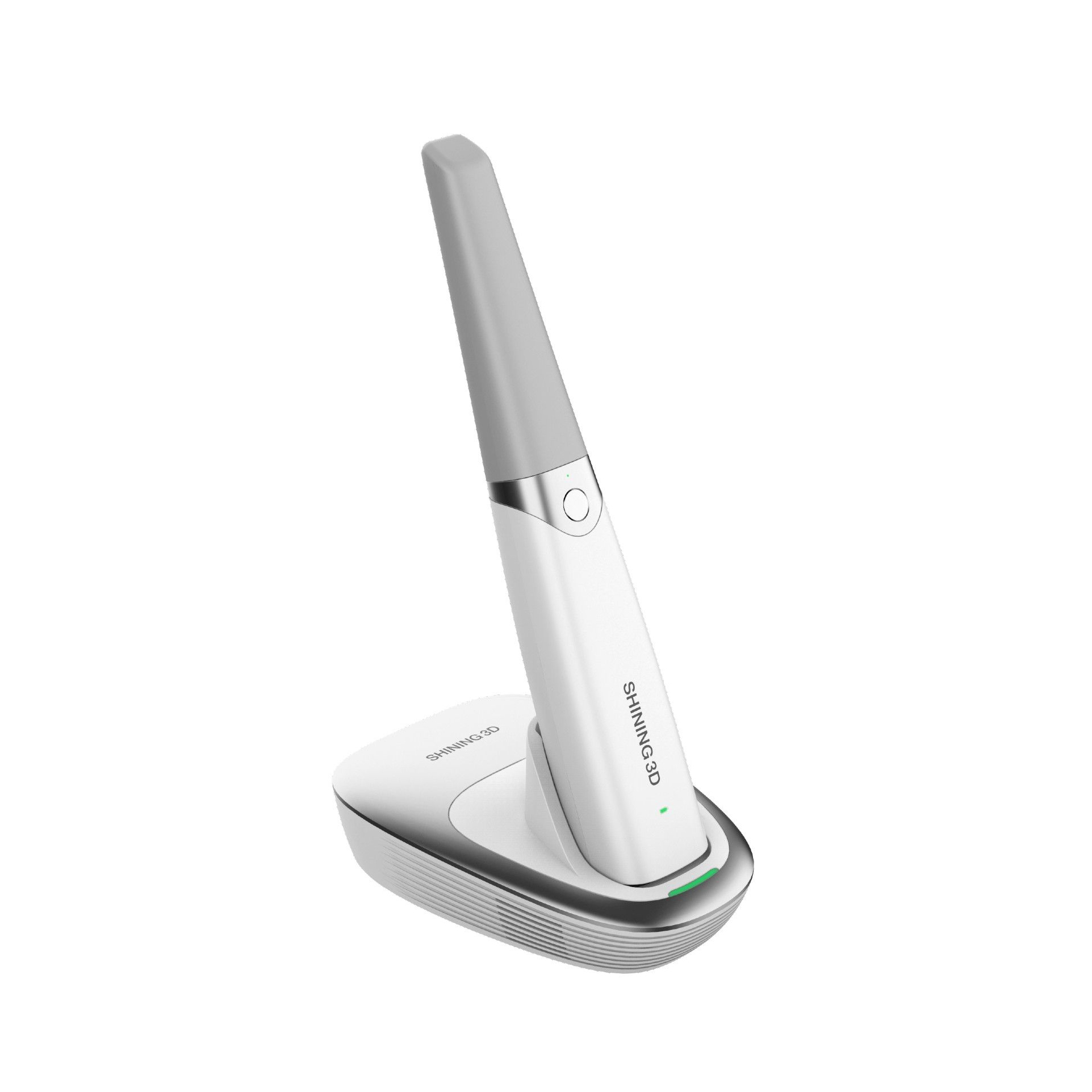
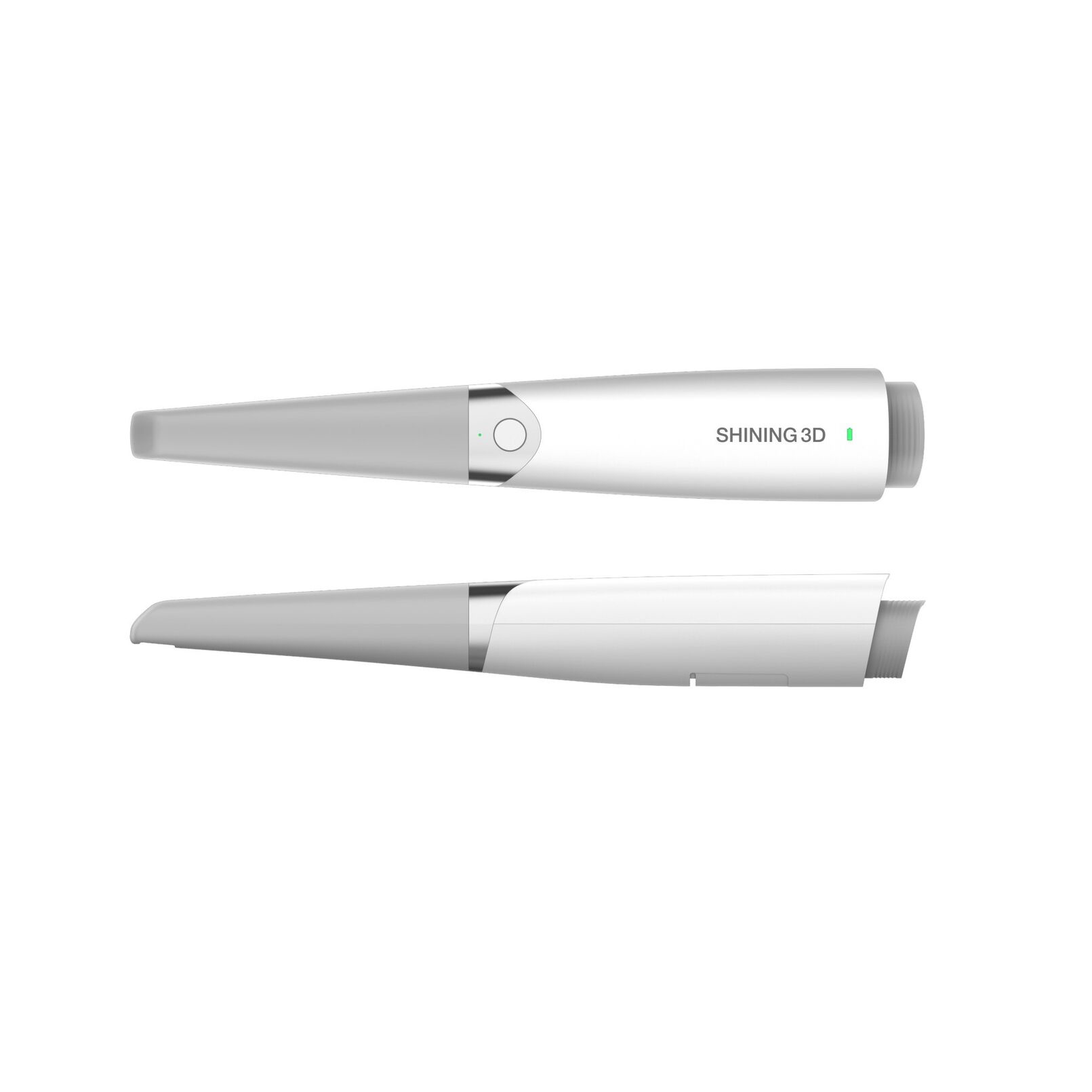
Aoralscan 3 Wireless Intraoral Scanner is a cordless intraoral scanning device designed for everyday clinical use in restorative dentistry, implant workflows, and orthodontics. It enables fast, consistent, and high-accuracy digital impressions without the physical limitations of cables, helping clinicians move naturally around the chair while maintaining stable full-arch and partial scan tracking. With heated anti-fog tips, a lightweight battery-powered design, open STL, OBJ, and PLY exports, and practical workflow support, Aoralscan 3 Wireless gives dental clinics the freedom to scan efficiently, collaborate easily with labs, and transition confidently from conventional impressions to digital dentistry.
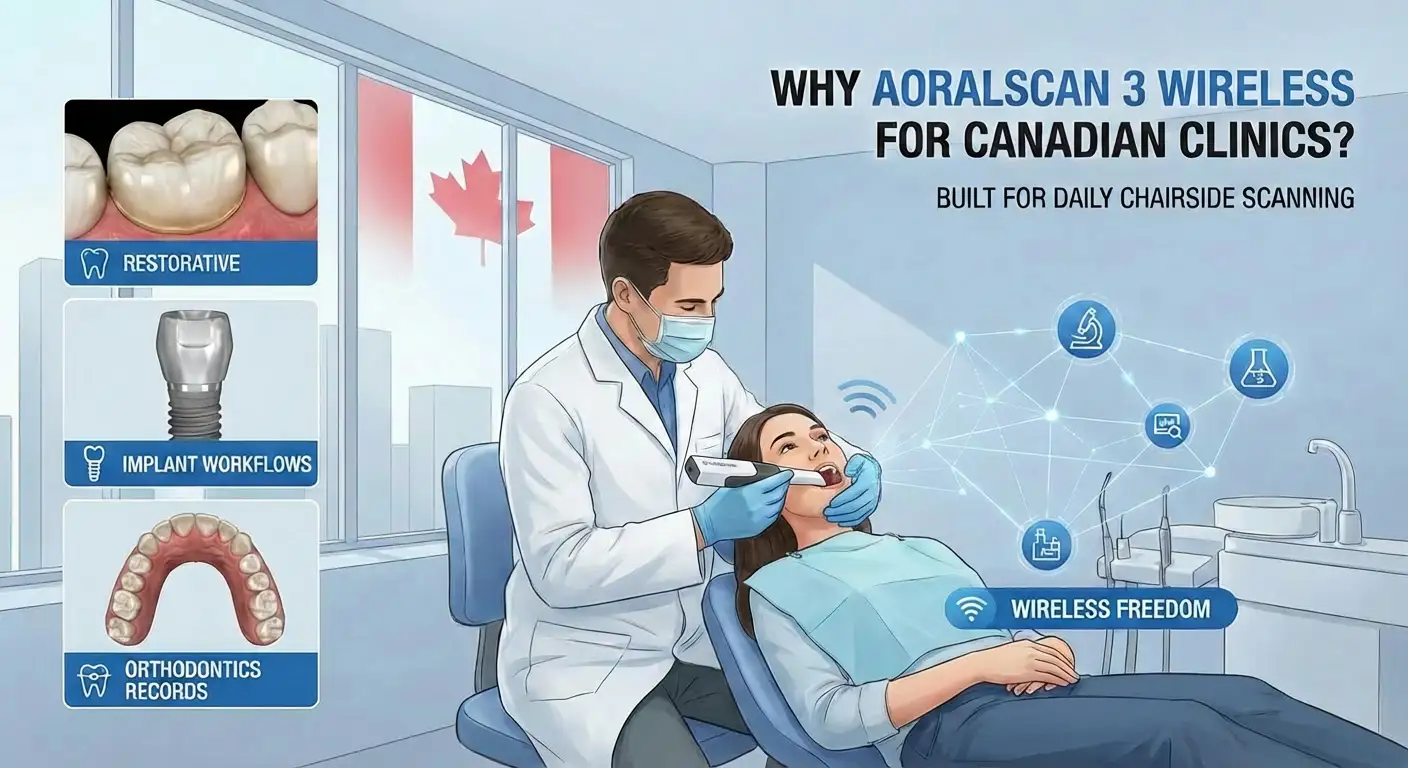
Canadian clinics often run on tight schedules, multi-op workflows, and frequent lab coordination. In that setting, an intraoral scanner needs to do two things well: produce consistent scans across a range of cases and stay practical at the chair for repeated daily use. Aoralscan 3 Wireless is built around that reality supporting digital impressions for common restorative work, implant cases that depend on clean scan bodies and margins, and orthodontic records where speed and repeatability matter.
For restorative workflows, the main goal is to capture clear preparation margins and adjacent anatomy without constant rescans. Aoralscan 3 Wireless supports controlled scanning over the prep, neighboring teeth, and occlusion, helping you produce lab-ready datasets without turning the appointment into a “scan session.” It’s well-suited for single-unit restorations as well as quadrant work where you need stable tracking across multiple surfaces.
Implant scanning is less forgiving: scan bodies must be captured cleanly, and tissue detail around emergence profiles matters when you want predictable prosthetic design. With Aoralscan 3 Wireless, you can move through implant steps in a consistent order (scan body → surrounding dentition → bite), then export open files for your lab or CAD/CAM partner. This is particularly useful in Canada where clinics may work with different labs depending on the case, timeline, or province.
For orthodontics scanning, the need is often “repeatable and fast” rather than hyper-detailed prep margins. Aoralscan 3 Wireless fits well for orthodontics scanning, including initial records, progress checks, and aligner case submissions. Full-arch scans can be captured and compared across visits, and you can share files with labs or aligner partners without being locked into a single closed workflow.
case-fit view:
| Clinical use | What matters most | What Aoralscan 3 Wireless supports |
| Restorative dentistry | clear margins, stable tracking, bite capture | consistent scanning around preps + occlusion records |
| Intraoral scanner for implants | accurate scan body capture, tissue detail, lab communication | scan body workflows + open export for lab/CAD use |
| Orthodontics scanning | repeatable full-arch records, speed, patient comfort | fast digital records + shareable files |
A cordless intraoral scanner can sound like a comfort feature, but in a real clinic it’s also about movement and chairside control. With Aoralscan 3 Wireless, the absence of a cable reduces drag on the handpiece during long scans and makes it easier to reposition quickly between arches, operators, and ops. That matters when:
In practical terms, the wireless setup supports a steadier chairside rhythm: fewer interruptions from cable pull, less “resetting your grip,” and easier repositioning when you’re capturing distal molars or lingual surfaces. For clinics comparing a wireless dental scanner with wired options, the real value is usually felt across a full day not in one single scan, but in how consistently the device stays comfortable and manageable across back-to-back patients.
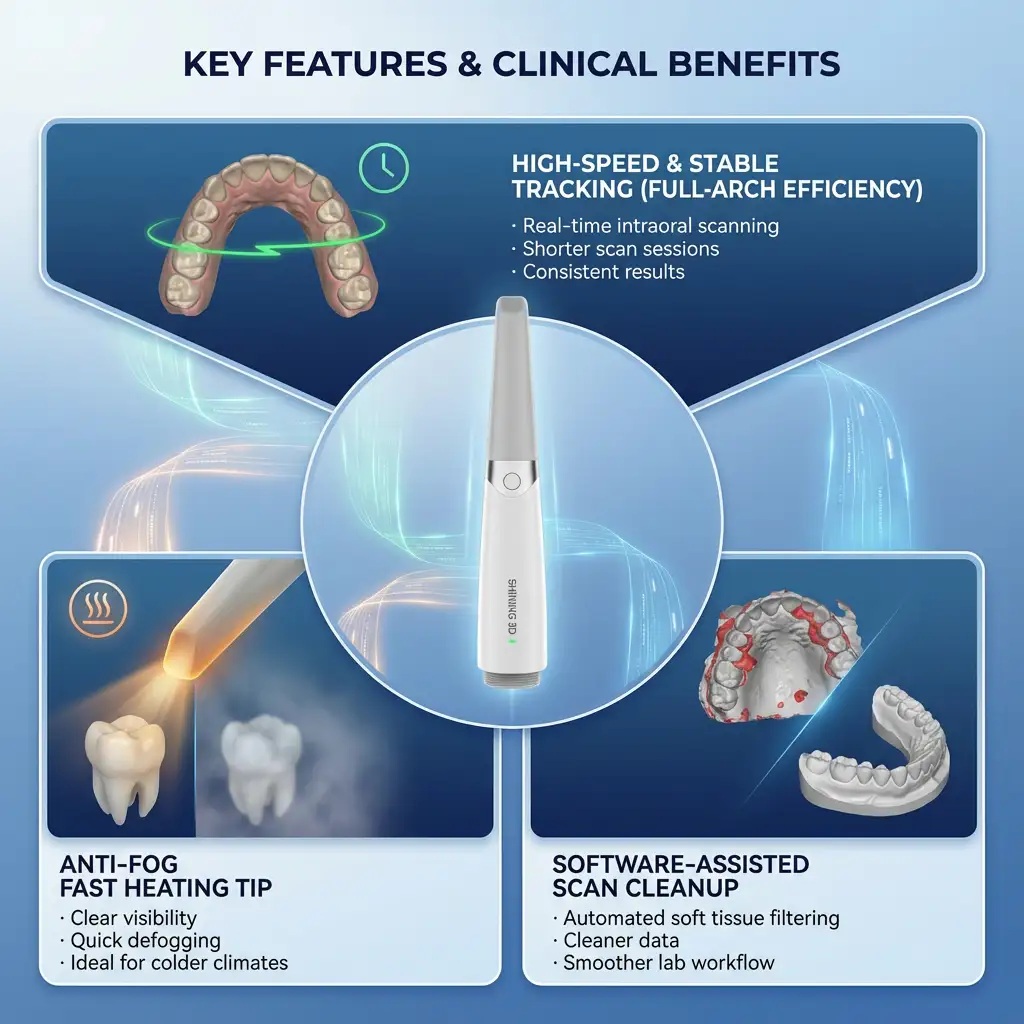
In a busy clinic, “speed” only matters if it stays consistent from the first scan of the day to the last especially on full arch scan cases where minor tracking interruptions can force rescans, slow down the appointment, and frustrate both the clinician and the patient. Aoralscan 3 Wireless is designed to keep real time intraoral scanning steady while you move across different surfaces (occlusal → buccal → lingual), which is where many scanners lose tracking.
What this means at chairside is a smoother rhythm: you can scan continuously with fewer stops to “re-find” the model, and you can recover faster if the scanner briefly loses reference (for example, when you pull away to suction or the patient moves).
If you want a quick way to match scanning behavior to the case:
| Case type | What usually slows you down | What to focus on for stable tracking |
| Single crown / small restoration | moisture + short scanning bursts | keep the field dry, maintain a steady pass |
| Quadrant scan | transitions between teeth/gingiva | keep the scanner angle consistent, avoid pulling away too far |
| Full arch scan | posterior capture + crossing midline | follow a consistent scan route, maintain continuous reference |
Fogging is one of those “small” problems that can quietly add minutes to a scan especially in Canadian clinics during colder months, where temperature differences (room air vs. warm intraoral environment) can increase condensation. When the scanner tip fogs, you often end up slowing down, pausing to wipe, or rescanning segments that were captured with reduced visibility.
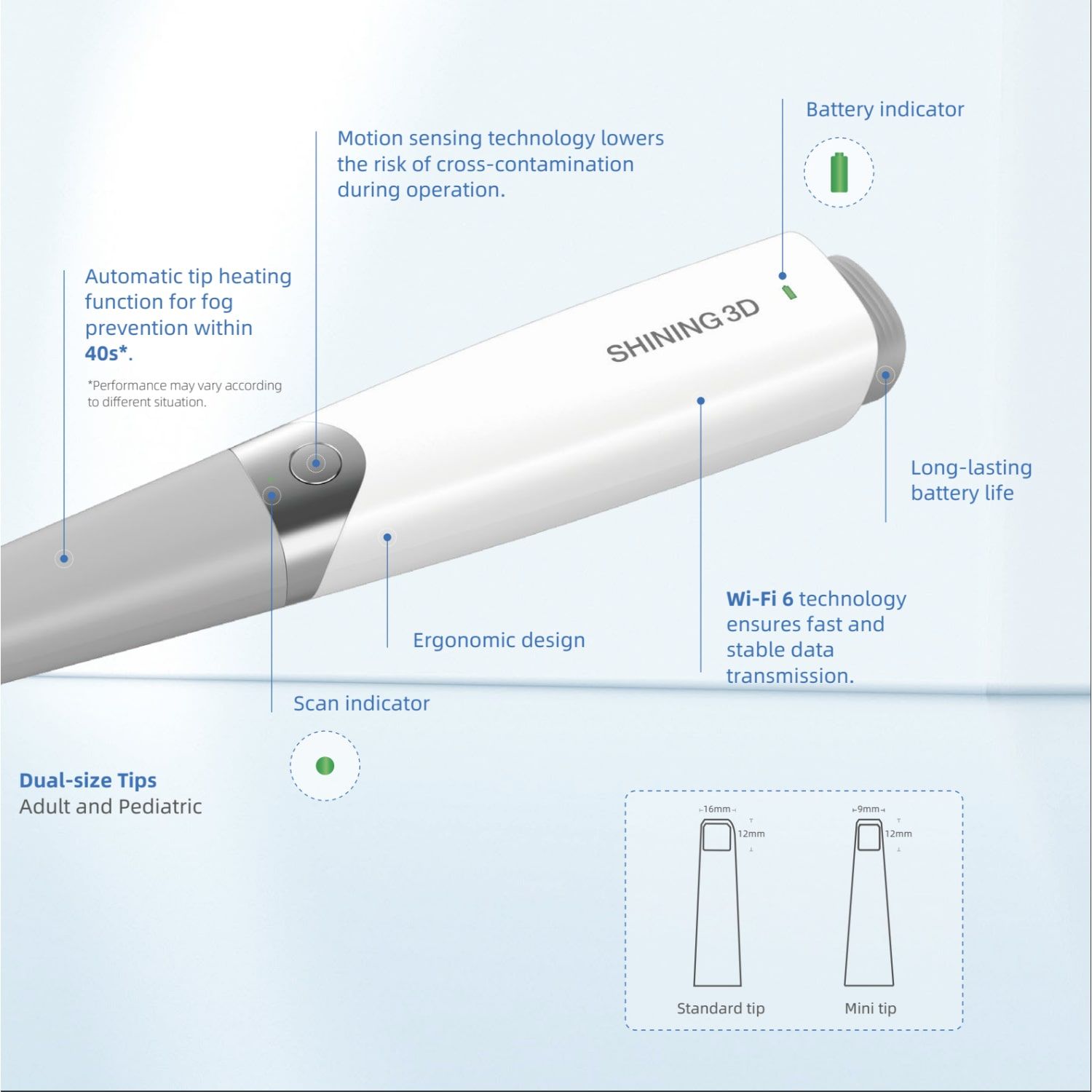
Aoralscan 3 Wireless includes tip heating designed to reduce fogging quickly so visibility remains stable during longer scans. From a clinical workflow perspective, this matters most in:
Why this feature affects scan quality (not just comfort)
Raw intraoral scans often include “extra” data you don’t want cheeks, tongue edges, moving soft tissue, and stray artifacts from reflections. If those areas remain in the final model, they can slow down CAD steps, create confusion for lab technicians, or require manual editing before design.
Aoralscan 3 Wireless supports automatic scan cleanup to reduce unwanted soft-tissue capture and help produce a cleaner dataset for downstream workflows. In practice, this can:
Where soft tissue filtering helps most
A simple quality checklist before export
When clinics compare intraoral scanners on paper, technical specifications are often the first filter before any hands-on evaluation. The specifications below focus on parameters that directly affect daily chairside use, scan consistency, and compatibility with lab workflows.
| Category | Specification |
| Scanning principle | Non-contact optical scanning using structured light |
| Wireless technology | Wi-Fi 6 (802.11 a/n/ac/ax) |
| Effective wireless range | Same operatory, up to approximately 5 meters |
| Scan field – standard tip | 16 × 12 × 22 mm |
| Scan field – mini tip | 12 × 9 × 22 mm |
| Scan depth | −2 to 20 mm from the tip exit surface |
| Tip heating | Integrated anti-fog heating (approx. 40 seconds warm-up) |
| Battery life | Up to 2 hours of continuous scanning per battery |
| Standby / sleep mode | Extended standby up to several days |
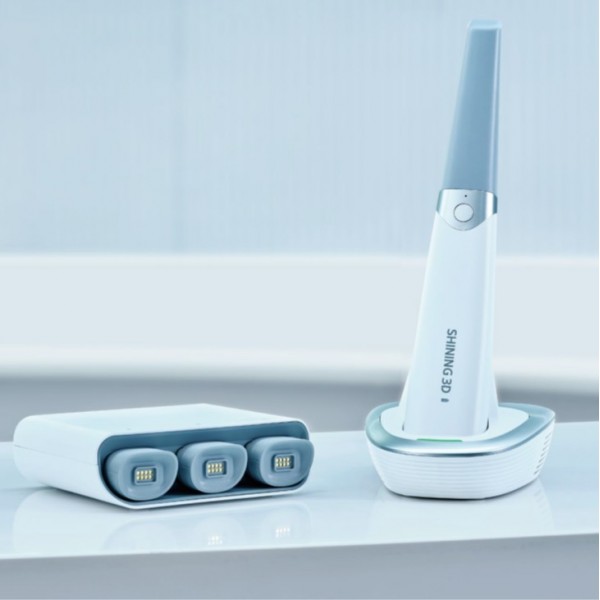
| Batteries included | Three rechargeable batteries |
| Dimensions (with battery and tip) | Approx. 270 × 50 × 40 mm |
| Weight (with battery and tip) | Approximately 330 g |
| Output formats | STL, OBJ, PLY |
| Wired connection option | USB connection available when needed |
| Tip sterilization | Autoclavable tips, rated for repeated sterilization cycles |
What these specifications mean in daily clinical use
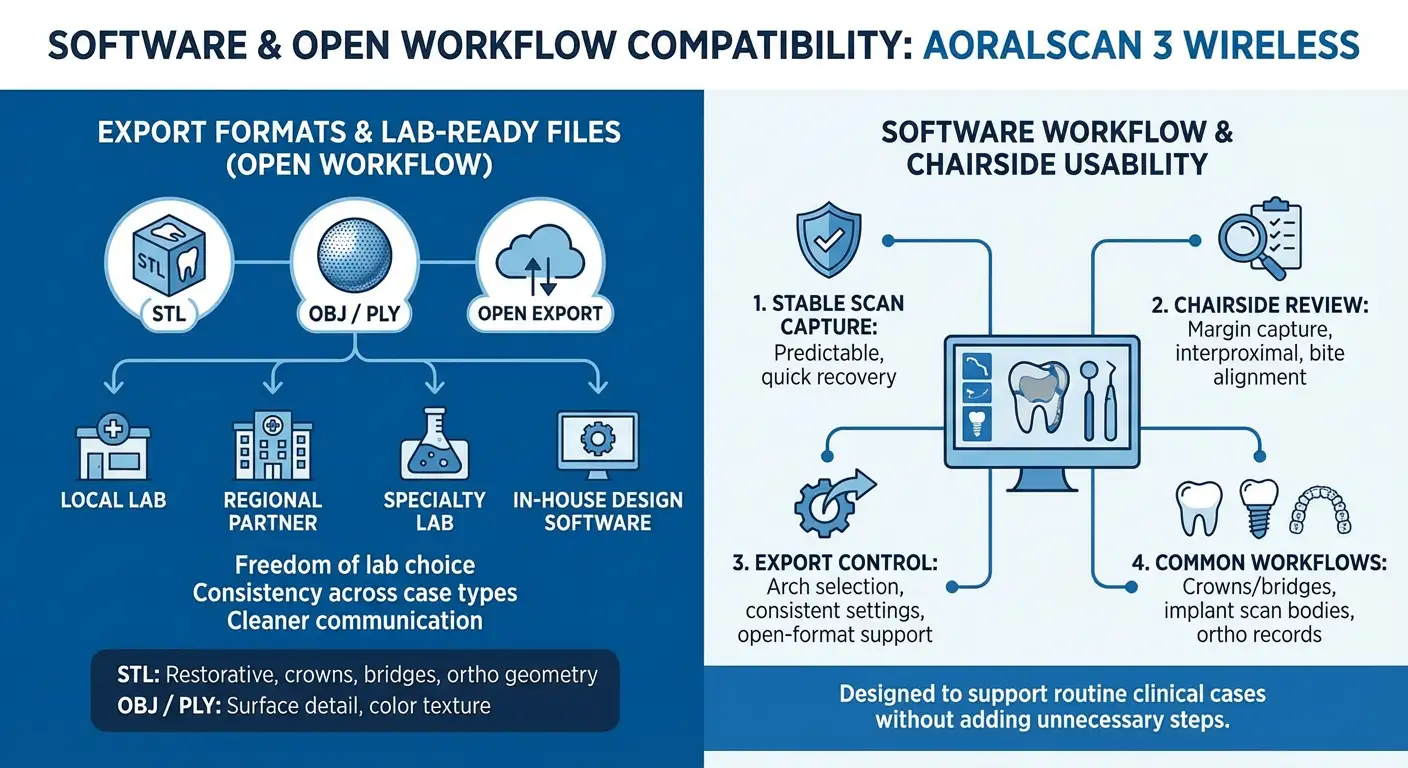
Export formats and lab-ready files (open workflow)
In most clinics, the scanner is only one part of the digital chain. What ultimately matters is how easily scan data moves from the operatory to the lab or into in-house design software. Aoralscan 3 Wireless supports open export formats STL, OBJ, and PLY that are widely accepted across dental CAD/CAM workflows.
Why open exports matter in real practice
Typical uses of each file type
Practical note: Clinics tend to get the best results when scanner exports follow a simple internal checklist (arch selection, bite verification, scan body confirmation) before files are sent to the lab.
In daily use, dental scanning software is rarely judged by the number of features it offers. Instead, clinicians focus on how reliably it supports common cases and how easily it fits into chairside routines.
What clinics typically expect from the scanning software
These checks help reduce the risk of recalls or remakes.
Overall, the software workflow around Aoralscan 3 Wireless is designed to support routine clinical cases without adding unnecessary steps between scanning and lab submission.
When clinics evaluate a wireless intraoral scanner, uncertainty about what’s actually included is one of the top reasons deals stall especially when buyers later discover they still need extra items to get scanning on day one. The Aoralscan 3 Wireless package is structured around a battery-based workflow and typically includes the core scanning hardware plus the essentials needed to start capturing digital impressions immediately.
here is unboxing video of this scanner:
1) Aoralscan 3 Wireless scanner handpiece
The handheld unit is the main scanning device used chairside. Its role is straightforward: capture digital impressions quickly and consistently across restorative, implant, and orthodontic cases.
2) Rechargeable batteries (commonly three)
A multi-battery setup is what makes “wireless” practical in a real clinic. Instead of stopping mid-day to charge the scanner, clinics rotate batteries between patients. This matters most in:
3) Charging dock / base station (battery charging + wireless receiver role)
This station typically functions as:
4) Scanner tips (standard tip + mini tip options)
Tip selection changes both access and comfort:
Sterilization note (chairside relevance):
Autoclavable tips are designed for repeated sterilization cycles, which supports predictable infection-control routines. A clinic typically manages tips like any other sterilizable instrument: scan → rinse/clean → bag → autoclave → storage.
5) Tip sleeves or protective components (if included in your package)
Some packages include items intended to reduce wear or protect parts during handling. If your distribution package includes these, it’s worth listing them clearly because clinics often ask about replacement parts and recurring consumables.
6) Calibration tool / calibration fixture (if supplied)
Calibration is part of maintaining scan consistency over time especially in clinics where multiple users handle the device. Having the calibration accessory in the box means:
7) Power adapters, cables, and essential connectivity accessories
Even with wireless scanning, clinics still need reliable power and stable PC connectivity. Clear listing of included power supplies and required ports prevents installation-day surprises.
8) Carrying case / protective case (if supplied)
Useful for:
9) Scanning software access (license/activation details, as applicable)
Clinics care less about “features lists” and more about basics:
A clinic can start scanning immediately if it has:
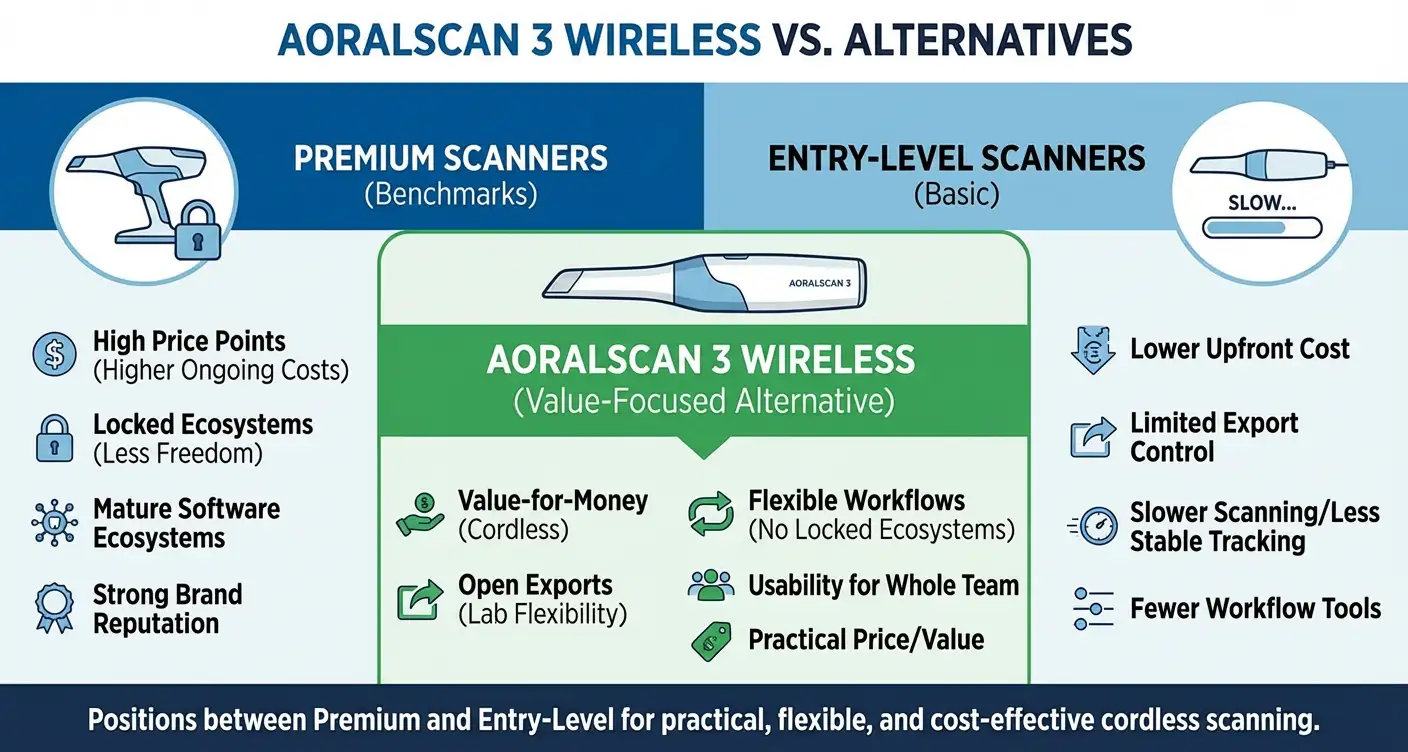
Value-focused alternative to premium scanners (without locking your workflow)
Most clinics don’t compare intraoral scanners as “good vs. bad.” They compare them as trade-offs between:
Aoralscan 3 Wireless typically attracts clinics that want a value-for-money path into cordless scanning while keeping exports open and workflows flexible especially when premium systems are difficult to justify financially for the clinic’s current volume or case mix.
What clinics usually mean by “premium”
Premium scanners (often used as benchmarks in the market) are usually known for:
Clinics that choose premium products often do so for ecosystem depth and long-established market adoption. The trade-off is that these options can be harder to justify if the clinic is:
What clinics usually mean by “entry-level”
Entry-level scanners often focus on lower upfront cost but may come with compromises such as:
They can work well for basic scanning needs, but clinics often outgrow them quickly if digital impressions become a daily standard rather than an occasional tool.
Where Aoralscan 3 Wireless often fits best
Aoralscan 3 Wireless tends to sit in the middle in a way that many practices find practical:
Comparison table (high-level, clinic-friendly)
| Category | Aoralscan 3 Wireless | Premium Intraoral Scanners | Entry-Level Intraoral Scanners |
| Upfront cost profile | Mid-range, value-oriented | High initial investment | Low to mid initial cost |
| Target clinic type | General practices, mixed restorative/implant clinics, clinics moving fully digital | Clinics standardizing on a large digital ecosystem | Clinics with occasional or limited scanning needs |
| Wireless operation | Fully cordless, battery-based workflow | Available on some premium models | Less common or limited |
| Full-arch scanning usability | Designed for routine full-arch scans in daily practice | Typically strong and consistent | Varies; may slow down on long scans |
| Workflow flexibility | Open exports for flexible lab collaboration | Often ecosystem-driven, may feel more closed | Varies by model |
| File export formats | STL, OBJ, PLY | Often STL plus proprietary options | Usually STL only |
| Team adoption | Easier to standardize across multiple operators | Excellent, but may require more advanced training | Easy to start, but feature-limited |
| Typical upgrade path | Scales well as digital use increases | Long-term platform commitment | Often replaced as scan volume grows |
| Overall positioning | Practical balance of cost, cordless use, and open workflow | Ecosystem depth and brand-driven standardization | Budget-focused entry point |
In Canada, the final pricing for Aoralscan 3 Wireless is typically influenced by how the scanner is packaged rather than a single fixed configuration. Quotes often vary based on whether the clinic chooses a scanner-only setup or a complete bundle that may include a workstation or cart, the number of batteries provided for uninterrupted daily use, the quantity and type of autoclavable tips required to match the clinic’s sterilization cycle, and the scope of included software features and updates. Training and onboarding for one or multiple operators, as well as warranty coverage and ongoing technical support, also play an important role in the overall offer. In addition, logistics such as delivery, distributor policies, and regional considerations within Canada can affect how a final quote is structured.
If a Canadian clinic is comparing cordless intraoral scanners, Aoralscan 3 Wireless fits best when the goal is straightforward: dependable day-to-day scanning for restorative, implant, and orthodontic workflows, plus open exports (STL/OBJ/PLY) for flexible lab collaboration—without paying premium pricing purely for brand ecosystem depth. The buying decision usually comes down to bundle clarity (scanner-only vs workstation packages) and the quality of Canadian warranty, training, and service after delivery.
Reviews
There are no reviews yet.