
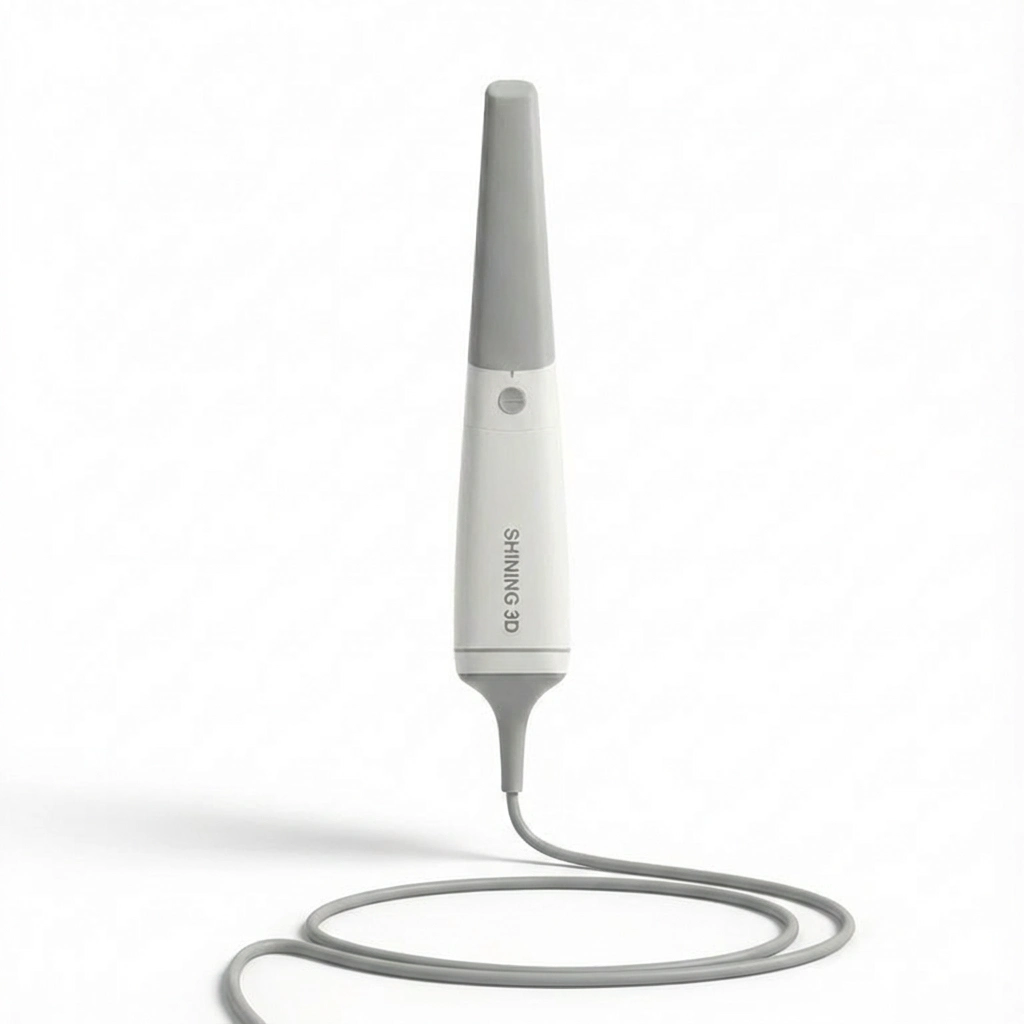
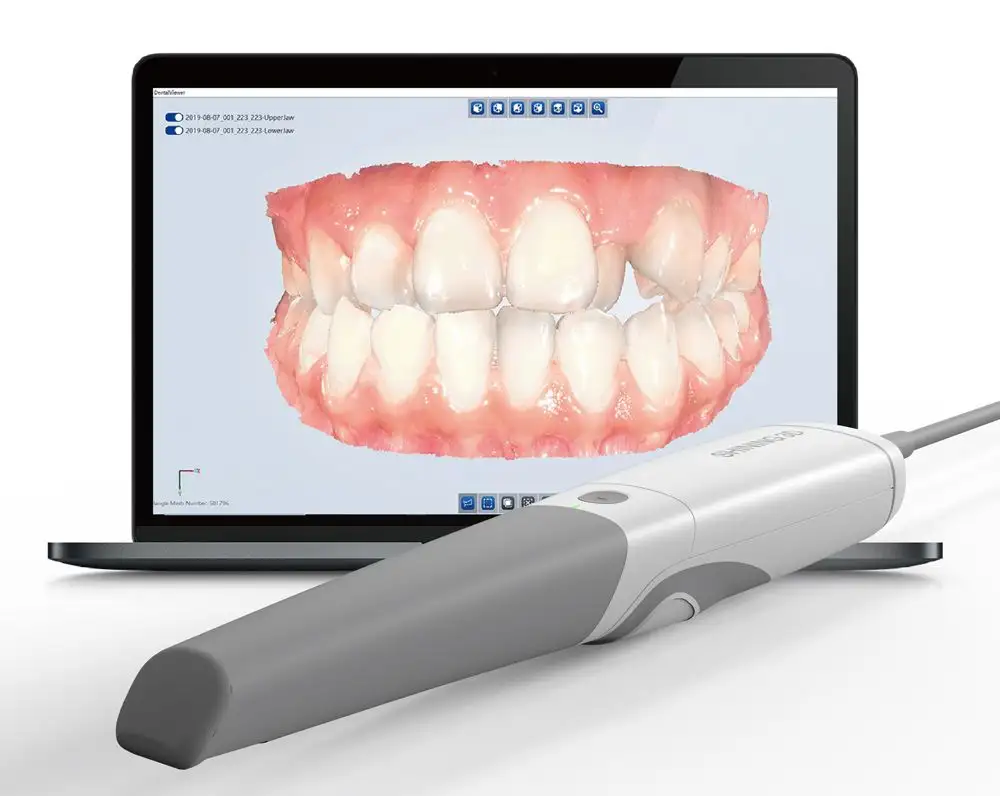
SHINING 3D Aoralscan 3 is an intraoral scanner for clinics that want fast digital impressions for restorative, orthodontic, and implant work. It captures a single arch in about 25 seconds and a full arch in around one minute, with a larger field of view than Aoralscan 2. The 240 g handpiece uses an auto anti-fog tip, motion sensing to reduce keyboard touches, and chairside checks like bite and undercut review. You can export STL/OBJ/PLY files, share cases via SHINING 3D’s cloud platform, and run it on Windows or macOS, including direct export to exocad.
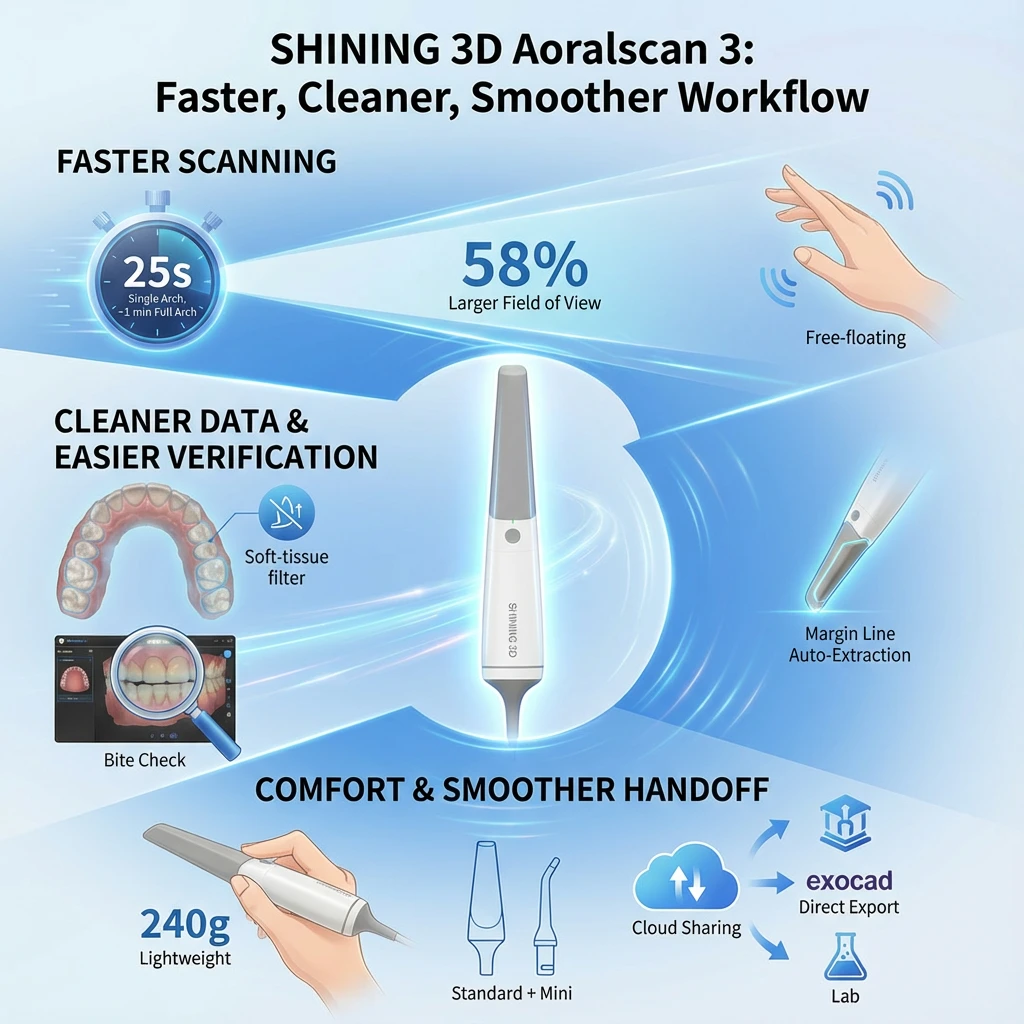
Aoralscan 3 is an intraoral scanner designed for clinics that want quicker digital impressions, cleaner scan data, and a smoother path from chairside capture to lab delivery. It supports common restorative, orthodontic, and implant workflows, combining fast scan capture, chairside review functions, open export formats, and cloud sharing.
| Benefit | What it changes day-to-day | Supporting features / specs |
| Faster scanning | Shorter scan stage and fewer rescans | Single arch ~25s; full arch ~1 min; 58% larger field of view vs Aoralscan 2 |
| Cleaner, checkable scans | Less unwanted data and easier chairside validation before sending | Soft-tissue filtering during capture; bite check; undercut check; margin line auto extraction; tooth marking |
| Comfort + smoother handoff | Easier handling and faster lab delivery | 240 ± 10 g; Standard + Mini tips; auto anti-fog; STL/OBJ/PLY; direct export to exocad; cloud 3D preview + order tracking |
Faster chairside scanning
Aoralscan 3 targets short scan times so the impression step doesn’t slow the appointment down.
Cleaner data and easier verification
Scan data is more useful when it includes what you need and less of what you don’t.
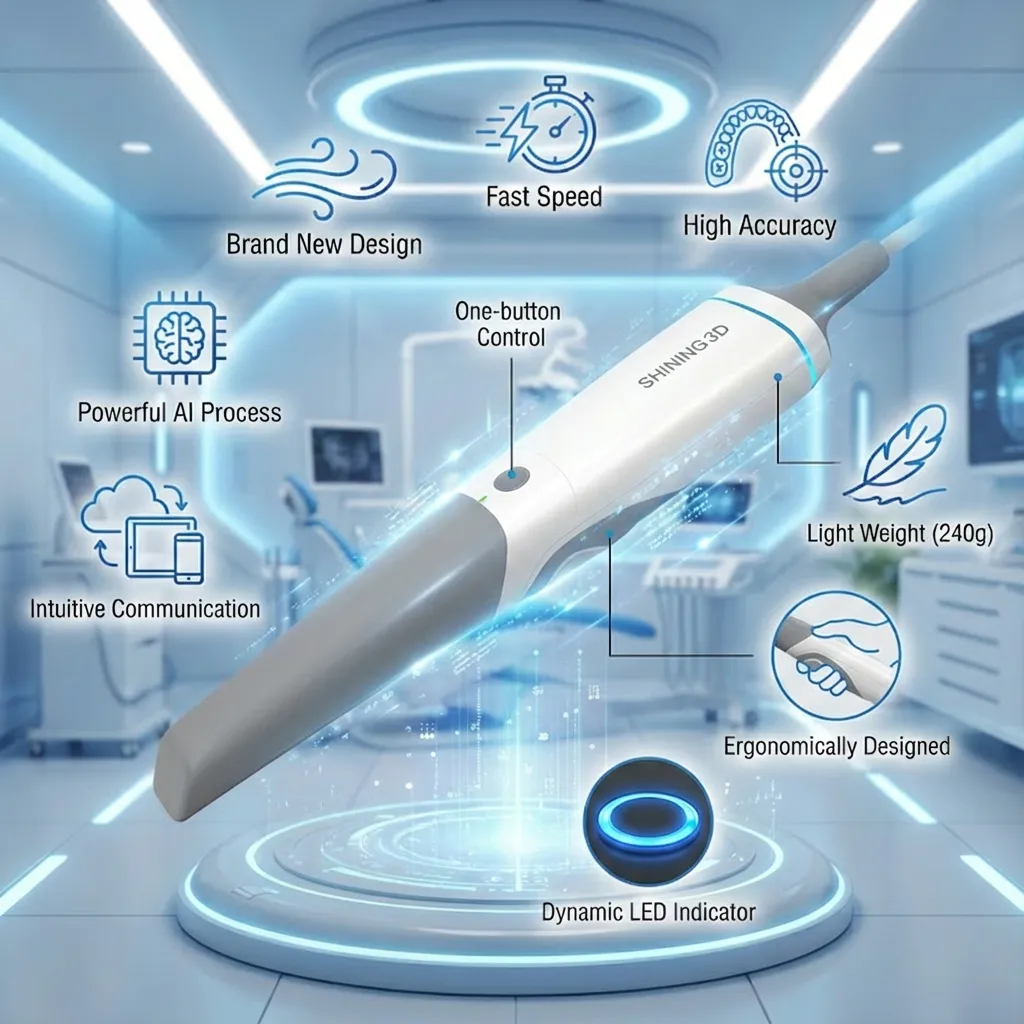
Patient comfort and operator handling
Comfort and handling affect consistency, especially when scanning multiple cases.
Easier handoff to CAD/CAM and labs
A scan only adds value if it moves cleanly into the next step.
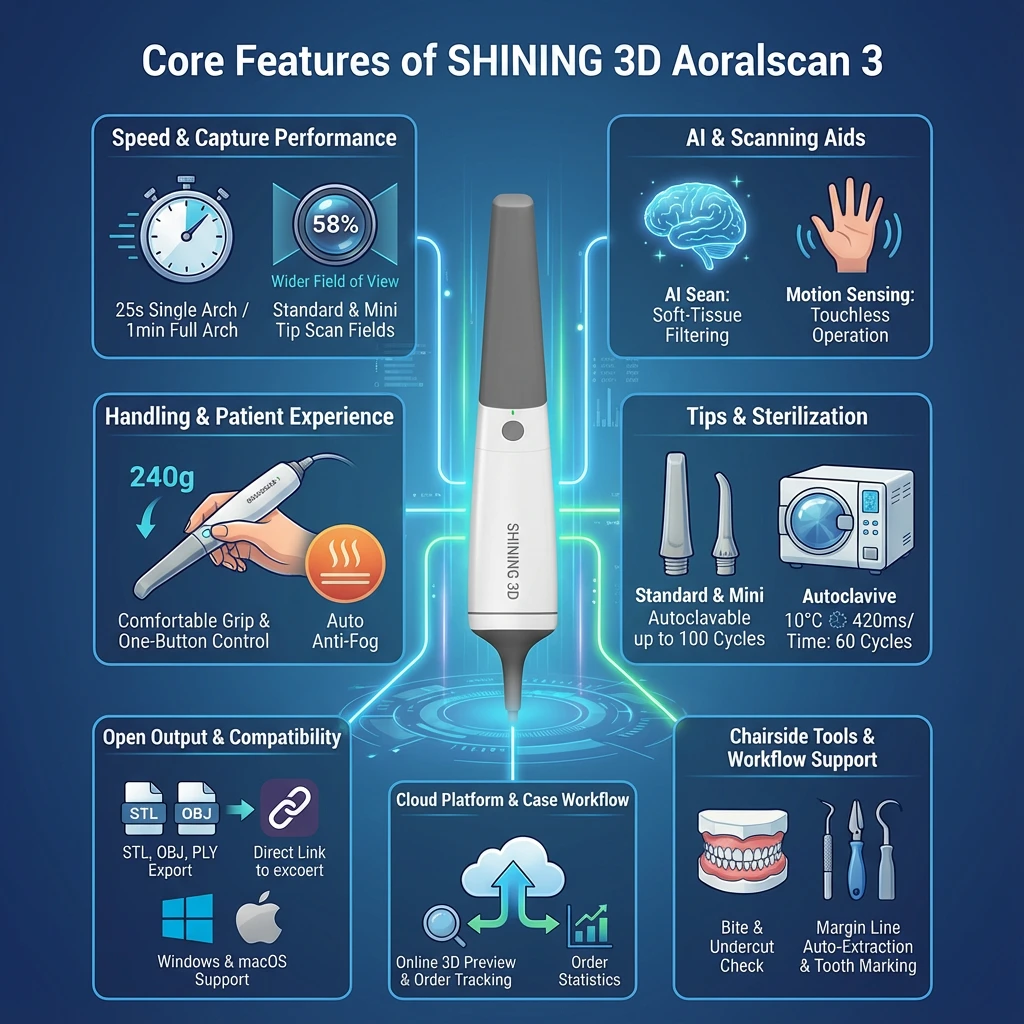
Aoralscan 3 combines fast intraoral capture, chairside review tools, open-file export, and clinic–lab sharing functions in one scanning system. The summary table below gives a quick overview, followed by detailed notes for each feature group.
| Feature group | What it includes | Practical value in the clinic |
| Speed & capture performance | Full-arch timing targets; wider field of view; defined scan fields and depth | Shorter scan stage, better coverage per pass, fewer missing areas |
| AI & scanning aids | AI Scan soft-tissue filtering; Motion Sensing | Cleaner scan data and less need to touch the computer during scanning |
| Handling & patient experience | 240 ± 10 g handpiece; one-button control; LED status indicator; auto anti-fog | Easier handling during long sessions, fewer pauses from fogging |
| Tips & sterilization | Standard + Mini tips; autoclavable up to 100 cycles | Better access (including pediatric and posterior), repeatable reprocessing |
| Open output & compatibility | STL/OBJ/PLY export; direct export into exocad; Windows + macOS support | Flexible handoff to CAD/CAM and labs, fewer workflow constraints |
| Cloud platform & case workflow | Online 3D preview; order tracking; order statistics | Faster review and clearer case communication with labs/teams |
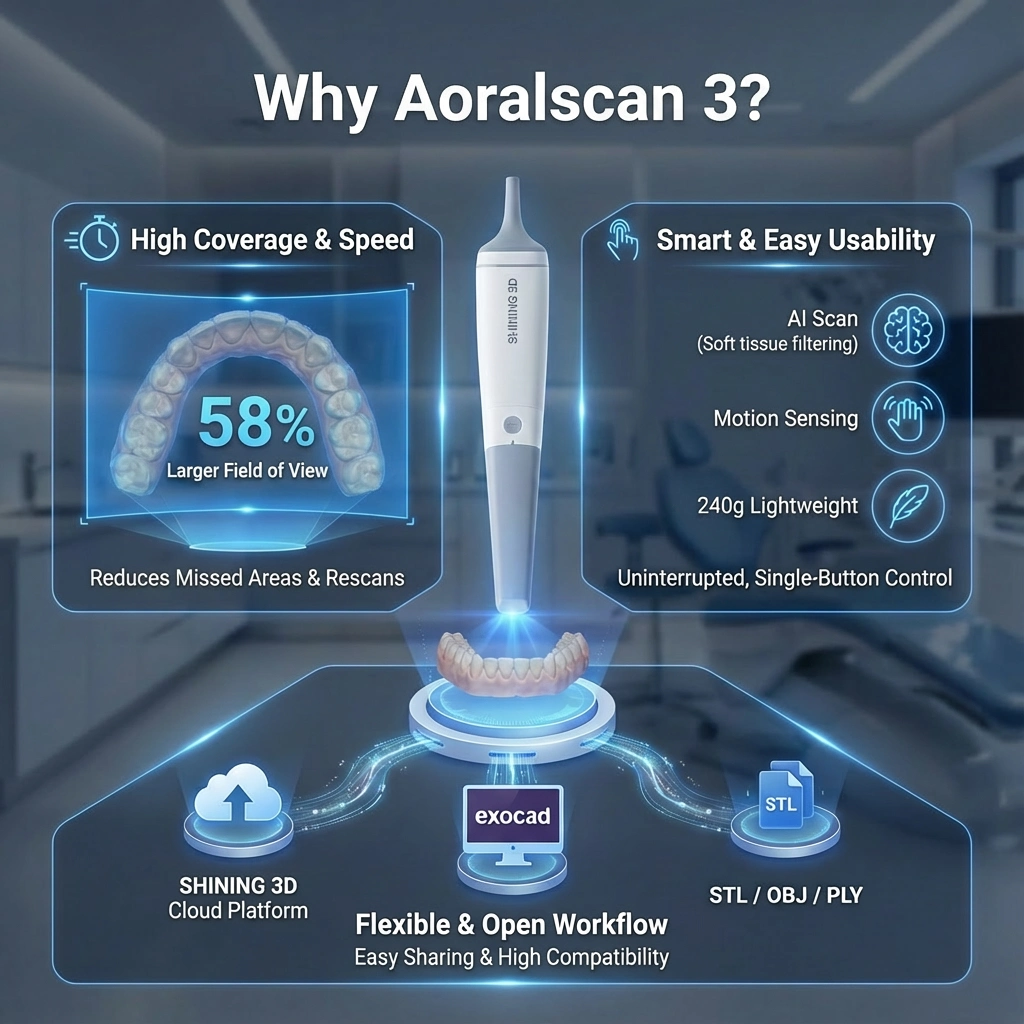
Aoralscan 3 is specified for quick intraoral scanning and broader coverage per sweep.
Why this matters: faster capture and a larger field of view can reduce time spent filling gaps, especially in full-arch scans and multi-unit cases.
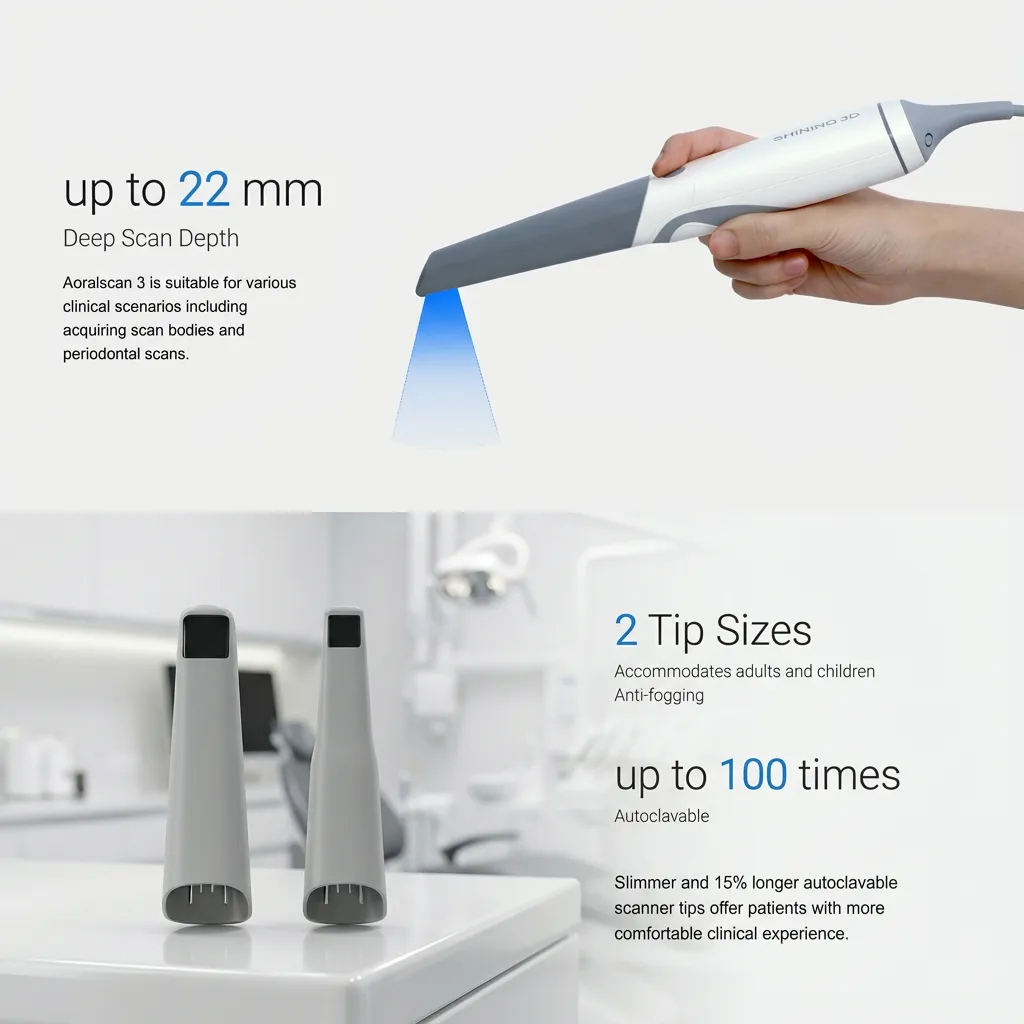
These functions are intended to help keep scans cleaner and reduce interruptions while you work.
Where it helps most: posterior areas, soft-tissue-heavy regions, and sessions where switching between scanning and computer input slows the process.
Aoralscan 3 focuses on in-hand comfort and fewer intraoral interruptions.
Practical impact: lighter handling and fewer fog stops can improve consistency across repeated daily scans.
Tip choice and reprocessing are core operational details for any intraoral scanner.
Aoralscan 3 is built to export common file types and fit standard digital dentistry workflows.
Tip for best performance: meeting the recommended GPU/RAM/SSD requirements matters for scan smoothness and processing speed, especially on full-arch work.
Beyond capture, Aoralscan 3 includes clinic-side tools meant to help you verify and prepare scans before sending.
Practical value: faster chairside review can reduce remakes and shorten lab back-and-forth.
SHINING 3D’s platform adds remote review and case management functions for teams and labs.
Aoralscan 3 is offered with a cart option, which can be useful for clinics that want a moveable scanning setup between rooms.
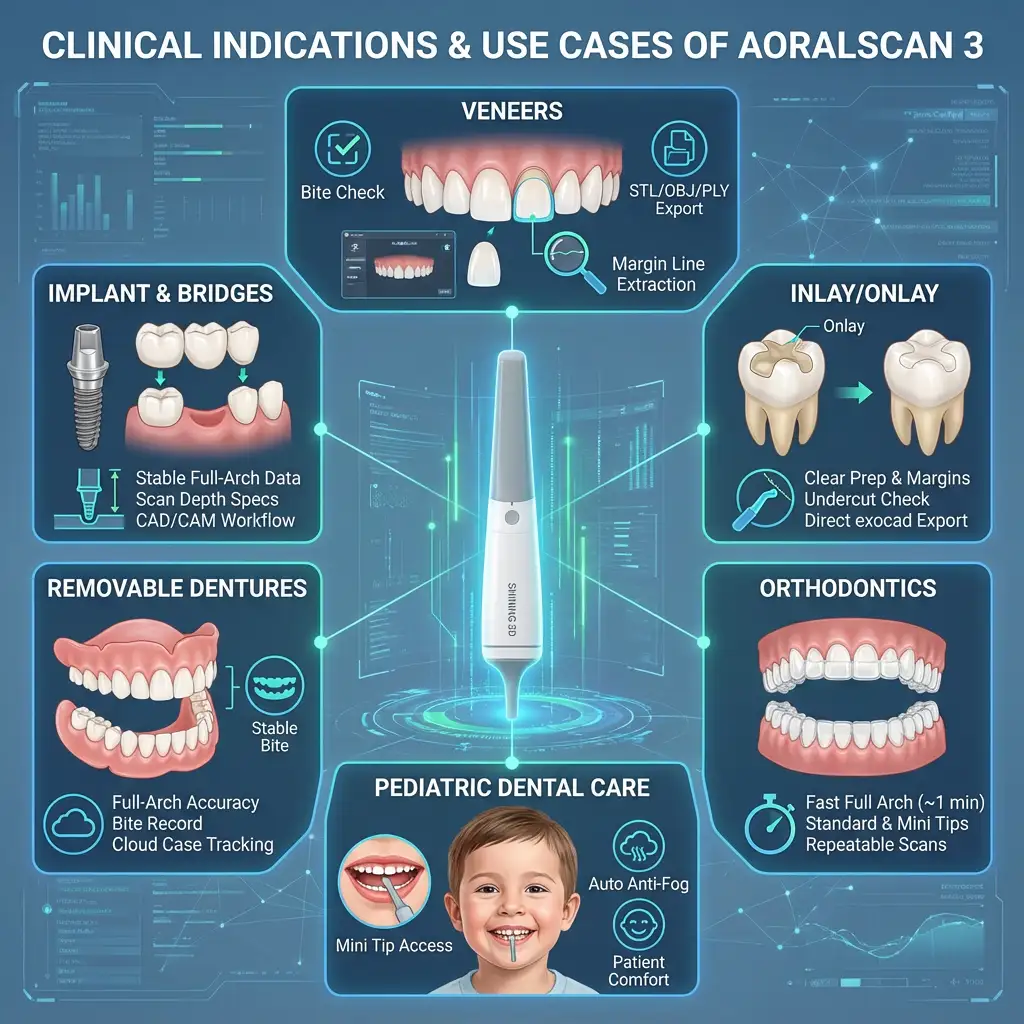
Aoralscan 3 is positioned for routine digital impressions across restorative dentistry, orthodontics, pediatric cases, removable prosthetics, and implant work. The scanner’s scan-time targets (single arch ~25 s, full arch ~1 min), tip options (Standard/Mini), auto anti-fog, and chairside review tools support these use cases from capture to lab delivery.
| Use case | What you typically need from the scan | How Aoralscan 3 supports it |
| Restorative + esthetic (veneers, inlay/onlay) | Clear prep areas, margins, contacts, occlusion | Chairside checks (bite/undercut), margin line auto extraction, tooth marking; STL/OBJ/PLY export; direct export to exocad |
| Ortho + pediatric | Comfortable access, fast capture, repeat visits | Standard + Mini tips; auto anti-fog; fast scan targets; macOS/Windows support |
| Removable + implants + bridges | Full-arch accuracy and stable bite relation | Full-arch scan target (~1 min); scan depth specs; bite check; cloud preview + case tracking |
Veneers
Veneer cases require clean surface capture and a dependable bite relationship so the lab can design with fewer questions. Aoralscan 3 supports this with chairside review tools (including bite check) and export options (STL/OBJ/PLY) to send scans into common CAD steps, including direct export to exocad.
Inlay/Onlay
For partial coverage restorations, clinicians often focus on prep details and occlusal clearance. Chairside checks (such as undercut review and bite review) help you verify the scan before sending. Tools like tooth marking and margin line auto extraction can assist with documentation and prep-related review.
Orthodontics
Ortho scanning is often repeatable (records, progress scans, aligner workflows), so speed and patient tolerance matter. Aoralscan 3’s scan-time targets and tip options (Standard and Mini) help with routine full-arch records, while export formats (STL/OBJ/PLY) support sharing with aligner or lab workflows.
Pediatric Dental Care
Smaller mouths and limited tolerance make access and short scan time important. The Mini tip is intended for easier intraoral access, and auto anti-fog (tip warming) helps reduce pauses that can interrupt cooperation during scanning.
Removable Dentures
Removable cases can require full-arch capture and clear bite records for design steps. Aoralscan 3 includes bite verification tools and supports cloud-based 3D preview and case tracking for clinic–lab communication when adjustments or confirmations are needed.
Implant workflows (e.g., All-on-6)
Implant cases depend on stable full-arch data and clear bite relation for planning and prosthetic steps. Aoralscan 3’s published scan depth range and full-arch scan target, plus chairside bite review and export formats, support sending the case into CAD design (including exocad workflows).
Bridges (e.g., 6-unit bridge)
Multi-unit bridges need consistent capture across multiple teeth and a correct bite record. A larger capture area (manufacturer states 58% larger field of view vs Aoralscan 2) can help cover more per pass, and chairside checks can help confirm the scan before delivery to the lab.
Aoralscan 3 stands out mainly on practical, clinic-facing points: scan coverage, scan-time targets, handling, tip options and sterilization, file flexibility, and case sharing.
| Differentiator | What it means | Aoralscan 3 details |
| Coverage and capture specs | Helps reduce missed areas and rescans | 58% larger field of view vs Aoralscan 2 (manufacturer statement); scan fields: Standard 16×12×22 mm, Mini 12×9×22 mm; scan depth published as -2 to 20 mm from tip outlet surface |
| Chairside capture aids | Helps keep scanning moving and reduce extra computer contact | AI Scan for soft-tissue filtering during capture; Motion Sensing to reduce keyboard/mouse touches; one-button control; LED status indicator |
| Practical ownership and workflow fit | Makes it easier to run cases across software and lab partners | STL/OBJ/PLY export; direct export to exocad; SHINING 3D cloud platform for online 3D preview and order tracking; Windows and macOS support; optional cart |
What this adds up to in a real clinic
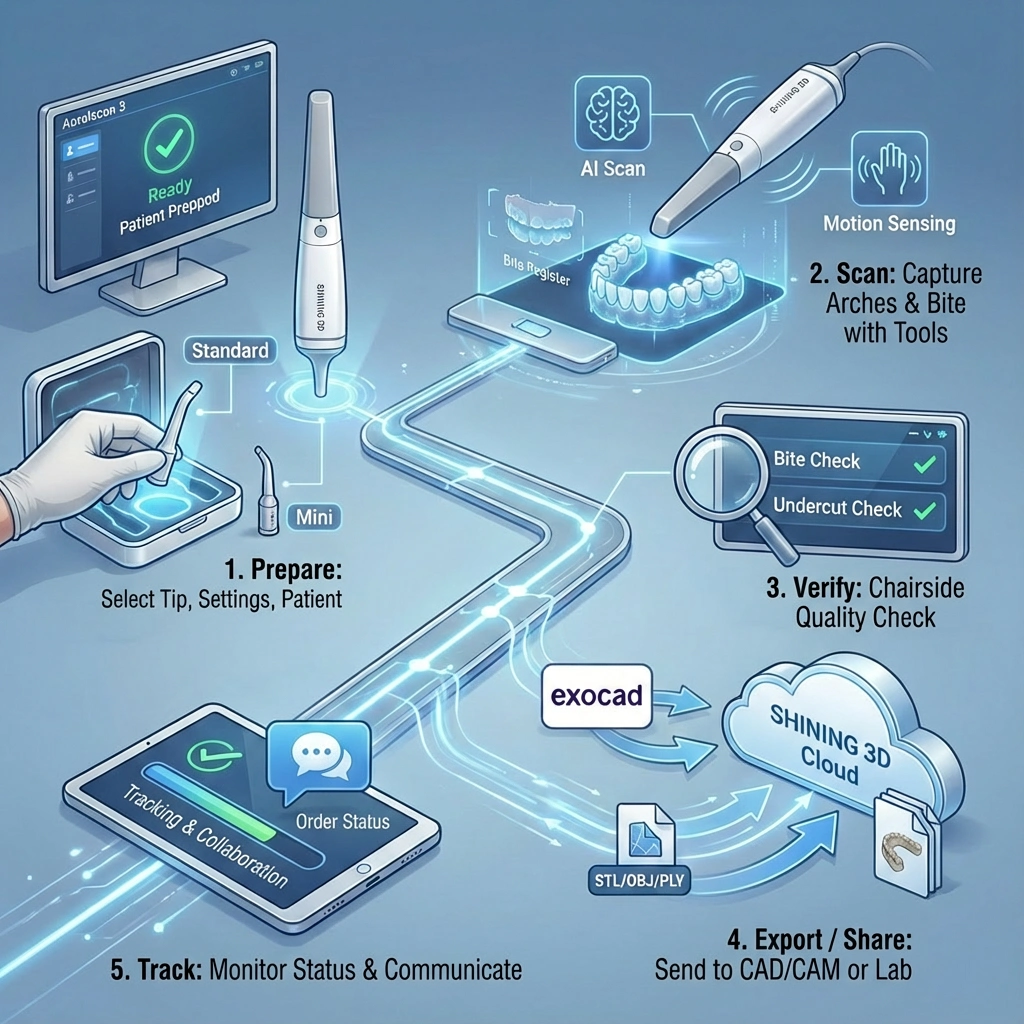
Below is a practical scan-to-lab flow that matches how Aoralscan 3 is typically used in clinics.
| Step | What to do | Output at the end of the step |
| 1) Prepare | Choose the tip, set up the workstation, and prep the patient | Correct tip selected; scanner ready; patient positioned |
| 2) Scan | Capture arches and bite using the scanner’s capture aids | Complete arch scans + bite scan |
| 3) Verify | Use chairside checks to confirm quality before sending | Confirmed scan coverage and occlusion |
| 4) Export / Share | Send files to CAD/CAM or the lab via export and cloud tools | STL/OBJ/PLY or exocad-ready case; lab can preview |
| 5) Track | Monitor case status and communicate updates | Traceable case progress and fewer missing details |
Step 1 Prep patient + tip selection (Standard / Mini)
Step 2 Scan arches and bite (with capture aids)
Step 3 Validate chairside before sending
Step 4 Export/share to the lab (exocad + cloud)
Step 5 Track cases and collaborate
Aoralscan 3 is built around structured-light scanning (non-contact) and outputs standard 3D formats that most dental CAD/CAM workflows accept. The specs below are the key numbers you’ll typically compare when selecting an intraoral scanner for daily clinical use.
| Specification | Value |
| Scanning principle | Structured light (non-contact) |
| Dimensions | 281 × 33 × 46 mm (manufacturer page; some official documents list ~285 × 46 × 33 mm as a tolerance/measurement variant) |
| Weight | 240 ± 10 g (without cable) |
| Scan field (Standard tip) | 16 × 12 × 22 mm |
| Scan field (Mini tip) | 12 × 9 × 22 mm |
| Scan depth | -2 to 20 mm from the tip outlet surface (often described as up to ~22 mm) |
| Output formats | STL / OBJ / PLY |
| Connector | USB 3.0 |
| Power input | 12V DC / 3A |
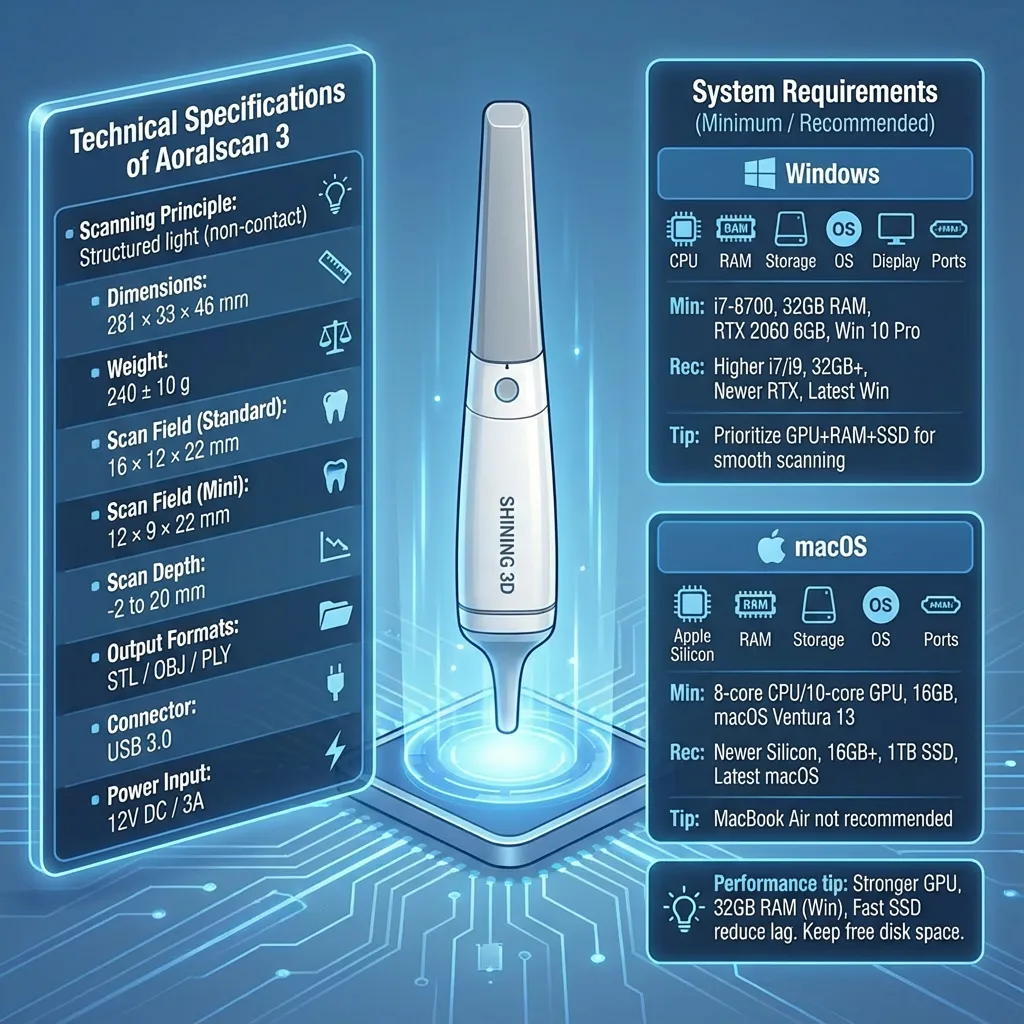
Aoralscan 3 can run on both Windows and macOS, but scan speed and smoothness depend heavily on CPU/GPU, RAM, and storage. If you want consistently responsive scanning especially for full-arch work aim for the recommended tier.
| Component | Minimum | Recommended |
| CPU | Intel Core i7-8700 or above | Higher-spec CPU within i7/i9 class (newer generations) |
| RAM | 32 GB | |
| Storage | SSD 256 GB+ | SSD with more free space (for larger case volumes) |
| GPU | NVIDIA RTX 2060 (6 GB) or above | Newer RTX GPU (more VRAM helps with heavy sessions) |
| OS | Windows 10 Pro 64-bit or above | Latest supported Windows version within your IT policy |
| Display | 1920 × 1080, 60 Hz or above | Same or better |
| Ports | More than 2 × USB 3.0 Type-A | Dedicated high-quality USB 3.0 ports preferred |
| Component | Minimum | Recommended |
| Apple Silicon | 8-core CPU & 10-core GPU | Newer Apple Silicon tiers (higher GPU cores preferred) |
| RAM | 16 GB or above | 16 GB+ (more if you handle many cases daily) |
| Storage | 1 TB SSD | |
| OS | macOS Ventura 13 or above | Latest supported macOS version |
| Ports | At least 1 × Type-C | Stable Type-C connection preferred |
Important note: MacBook Air is listed as not recommended due to heat dissipation limits during demanding workloads.
What you receive can vary by distributor, country, and bundle (for example, whether a cart or extra tips are included). Still, the Aoralscan 3 package is commonly supplied with the core scanning set plus cables and power components needed for daily clinic use.
| Item | What it’s for |
| Aoralscan 3 scanner (handpiece) | The intraoral scanning device |
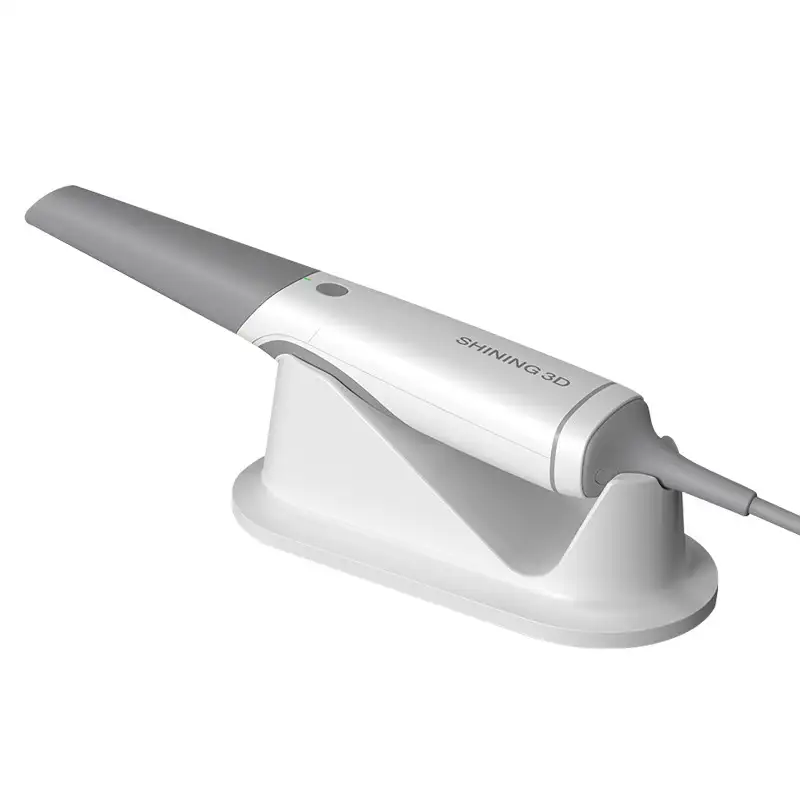
| Cradle / holder | Safe resting position for the scanner between scans |
| Scanning tips (Standard and/or Mini, depending on bundle) | Patient contact tips used during scanning |
| Power adapter (12V DC / 3A) | Power supply for the system |
| USB 3.0 connection components (cable and/or USB repeater, depending on bundle) | Stable data transfer between scanner and computer |
| Software / installation package | Operating and scan-capture software used on Windows or macOS |
| Security / licensing device (if included in your bundle) | Some packages include a hardware key used for software access |
Optional / bundle-based items you may see
Aoralscan 3 maintenance is mostly about keeping the scanning tips clean, sterilized, and clear, while also following a simple calibration routine so scan quality stays consistent over time.
Daily handling (chairside habits that help)
SHINING 3D states the scanning tips are autoclavable up to 100 cycles. Follow your clinic’s infection control policy and the manufacturer’s guidance.
Common autoclave programs referenced for tip sterilization
Notes:
Cleaning before sterilization
Before autoclaving, remove debris and follow a standard pre-clean routine (for example, wiping as directed by your protocol). Allow the tip to dry if required by your sterilization workflow before packing.
Anti-fog use note
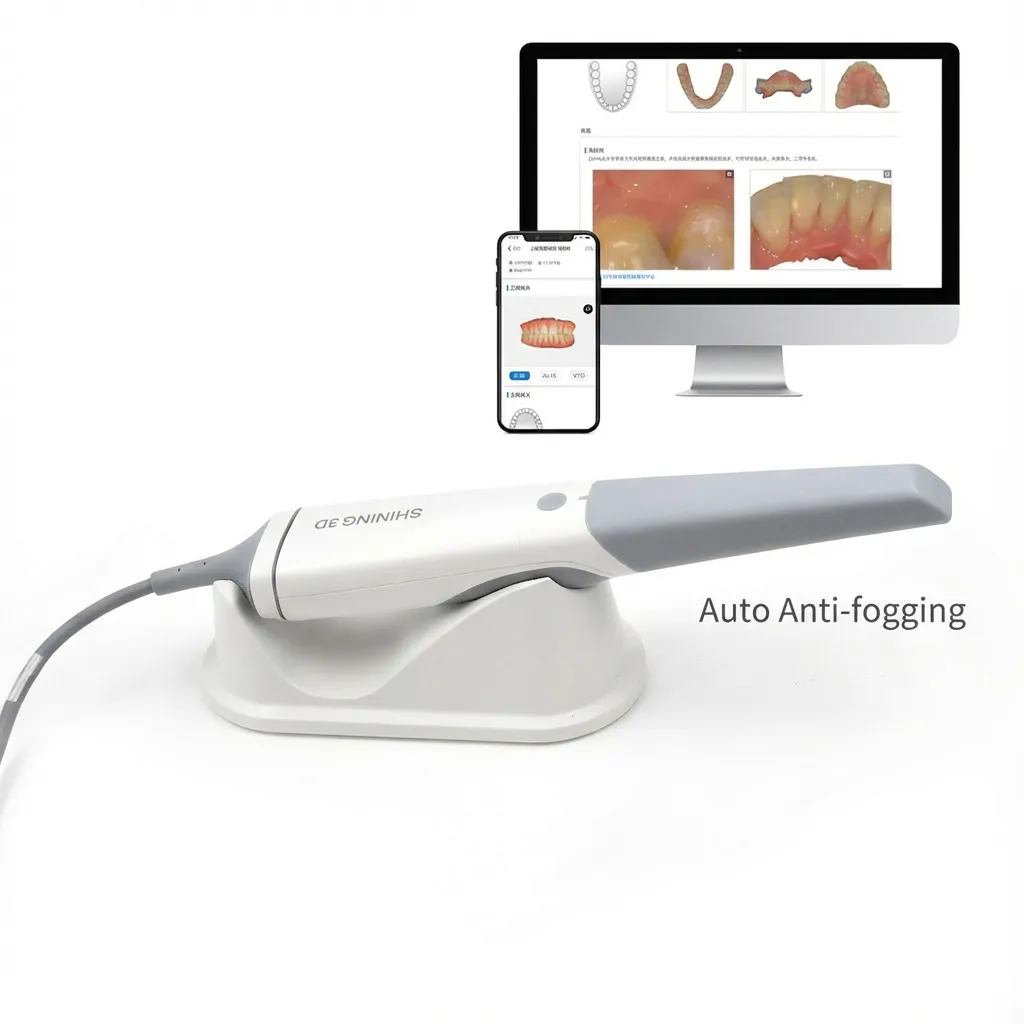
Aoralscan 3 uses tip warming / anti-fog behavior to reduce fogging during intraoral work. In practice, this means:
Calibration and checks (when to calibrate)
A practical schedule based on typical guidance:
If scans start to show unusual noise, stitching issues, or repeated mismatches, calibrate sooner and confirm the PC/Mac meets the recommended specifications.
Aoralscan 3 is positioned as a practical intraoral scanner for daily clinical work: fast scan-time targets for single-arch and full-arch captures, two tip sizes (including Mini for smaller mouths), anti-fog behavior for fewer interruptions, and tools that help you review scans before sending. With STL/OBJ/PLY export, direct export into exocad, and cloud-based preview/tracking options, it’s built to support the full path from chairside scanning to lab delivery while keeping routine maintenance centered on tip sterilization and periodic calibration.
jan –
best product