
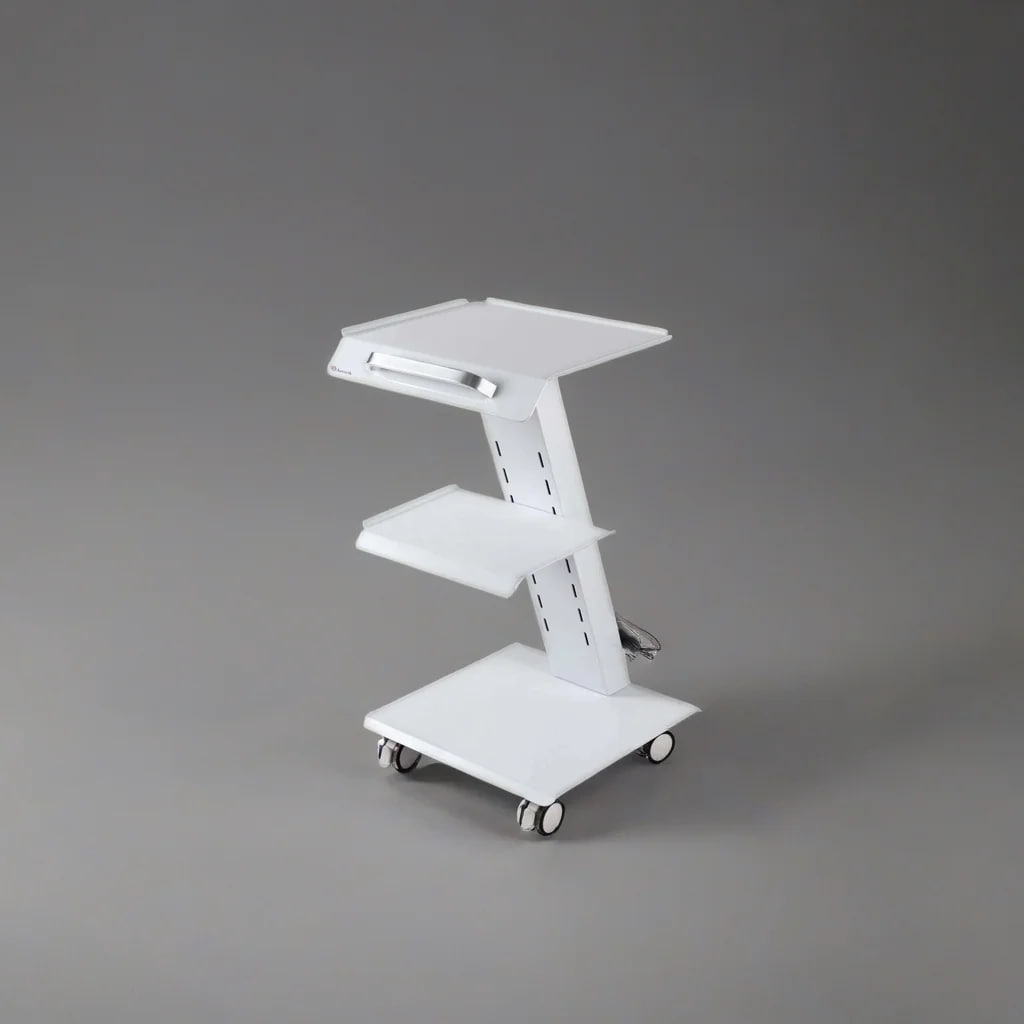
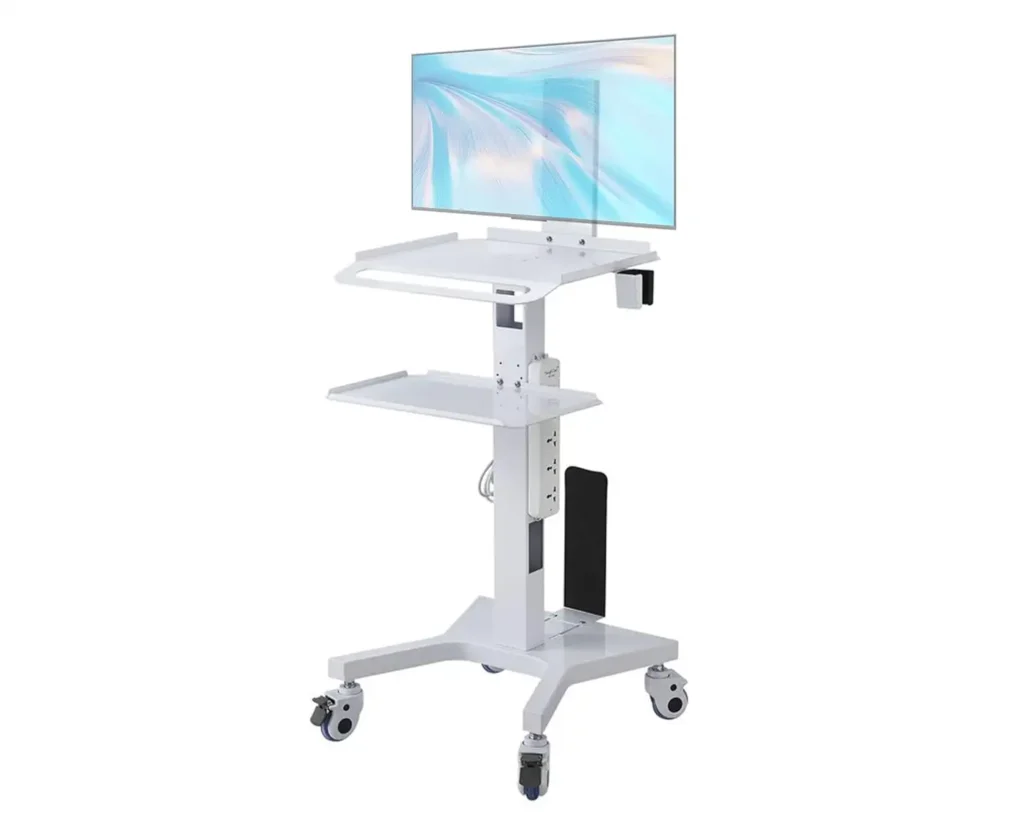

An intraoral scanner trolley or a dental trolley is a purpose-built mobile cart that keeps your scanner, laptop or PC, and accessories organized and ready at chairside.
here is a summary of following content:
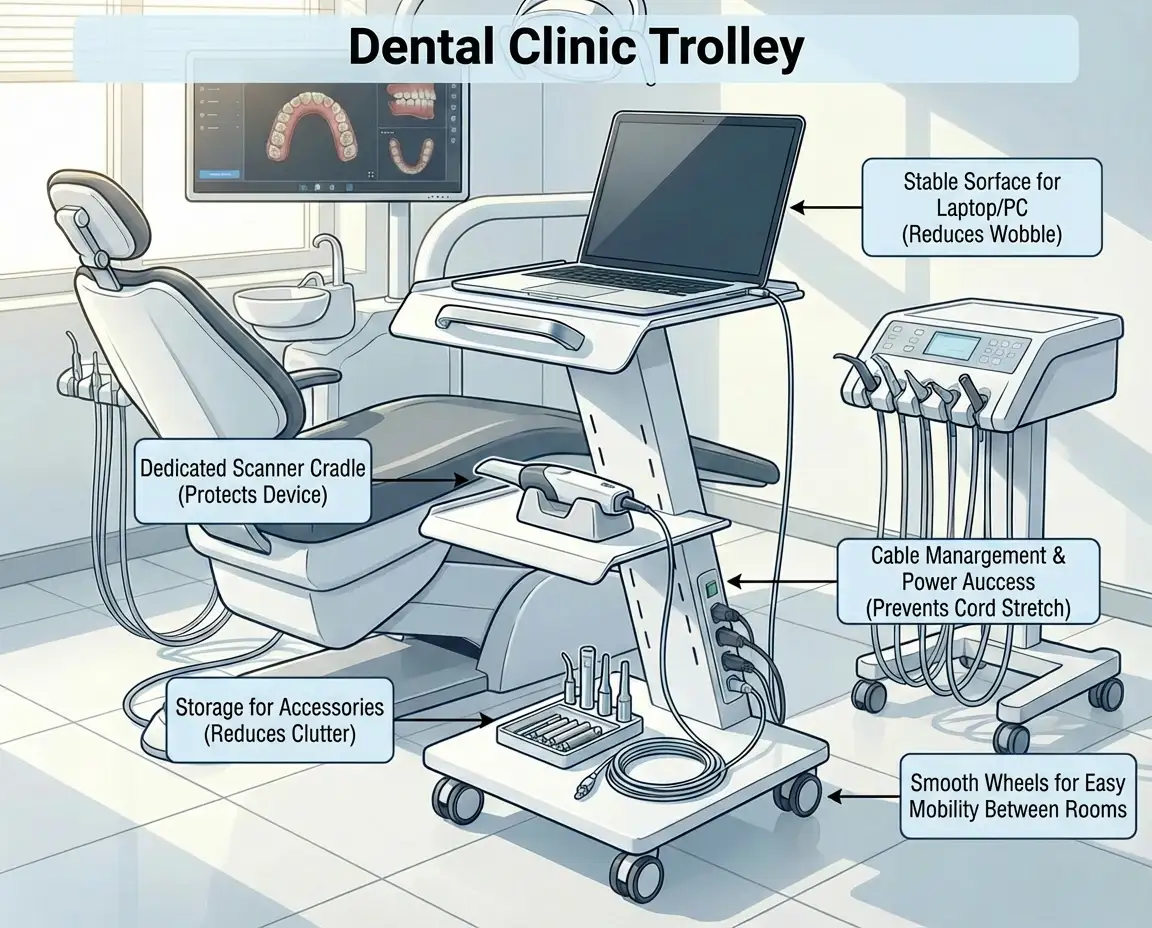
Unlike general clinic trolleys, these carts are designed around digital scanning needs: stable surfaces to reduce wobble, dedicated space for the scanner cradle, practical routing for cables, and power access so you’re not stretching cords across the operatory. The right trolley helps protect a high-value device during daily movement between rooms, reduces clutter around the unit, and keeps your scanning setup consistent from patient to patient. In this category, you’ll find options suited for intraoral scanning workflows, from compact carts for tight operatories to multi-shelf models with storage for tips, sleeves, and small peripherals.
An intraoral scanner trolley is a purpose-built mobile cart designed to keep your scanner setup organized, safe, and ready at chairside. In day-to-day clinic use, scanners are moved between operatories, plugged in and out repeatedly, and used alongside a laptop or PC plus accessories. A dedicated trolley turns that “bundle of devices” into a single, controlled station so the scanner, computer, power, and consumables stay together and stay protected.
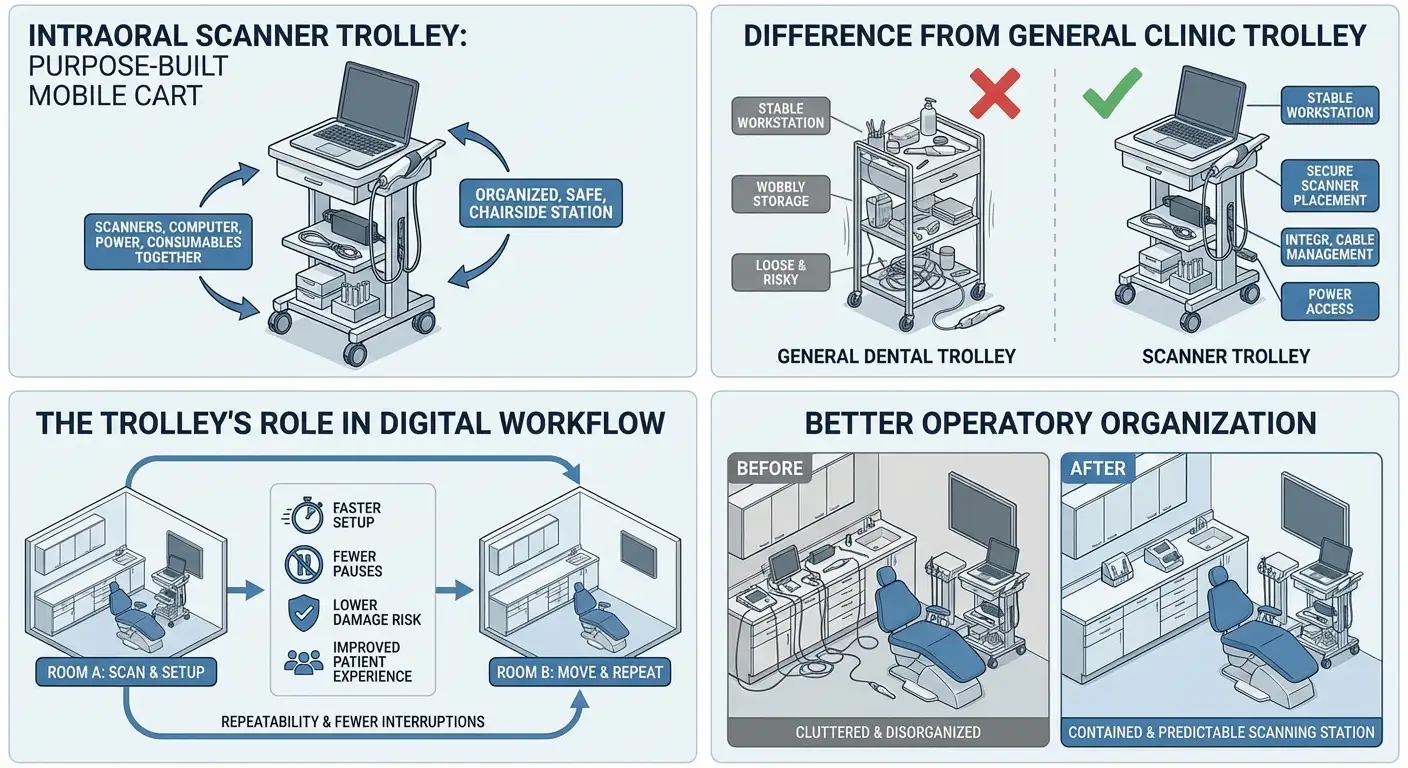
A general dental equipment trolley is usually meant to carry instruments, materials, or small devices. It can work in a pinch, but it’s rarely designed for the specific needs of digital scanning. The differences show up quickly in real use:
In digital dentistry, the goal isn’t just speed it’s repeatability and fewer interruptions. A well-chosen trolley supports that in several practical ways:
Choosing the right trolley is less about the number of shelves and more about how well it supports scanning at chairside. Below are the features that most directly affect daily use.
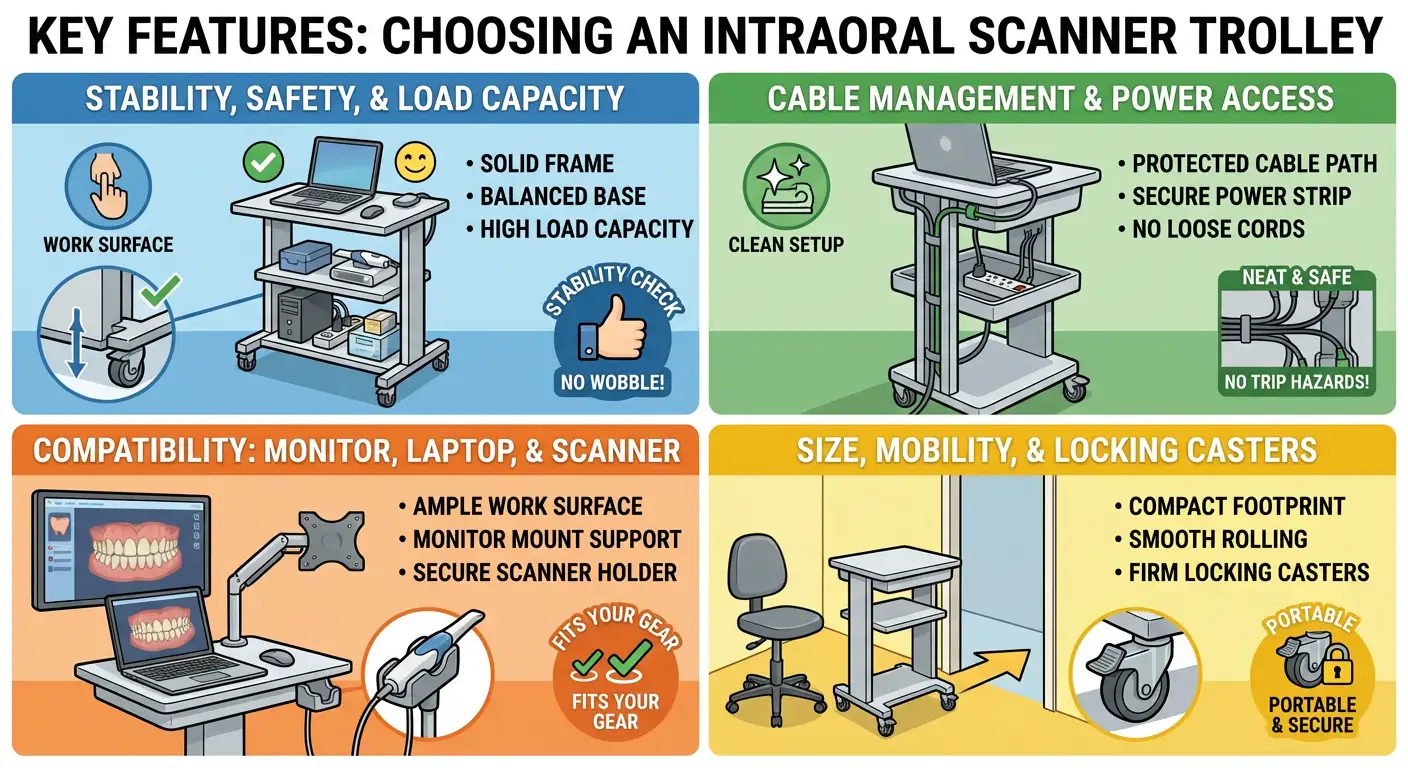
Stability is a daily quality-of-life factor. If the trolley shakes while you type, click, or pick up the scanner, it will slow you down and feel unprofessional. Look for a solid frame, a base that feels balanced, and surfaces that don’t flex.
Load capacity matters because most clinics place more than a scanner on the trolley: a laptop/PC, chargers, a power strip, disinfectant wipes, sleeves/tips, and small peripherals. A trolley that is near its limit will feel unsafe when turning or crossing thresholds.
Quick checks that help:
Cable clutter is one of the most common pain points in chairside digital setups. Loose cables create trip hazards and increase the risk of accidental disconnections. Over time, repeated pulling can damage connectors.
A good trolley supports clean cable routing along the frame and provides a secure way to mount or position a power strip. This keeps the scanner and laptop powered without stretching long cords across the operatory.
What to look for:
Scanner trolleys should fit the equipment you actually use, not just “any dental device.” The work surface needs enough space for your laptop/PC plus a mouse and small daily items without forcing you to stack equipment.
If you routinely show scans to patients, monitor support becomes useful. Some trolleys allow a monitor mount; others provide a stable shelf position. Either approach is fine if it’s secure and comfortable to view.
Scanner compatibility often comes down to the holder. It should support the handpiece without bending the cable sharply or stressing the connector. Even if the trolley is not made for a specific scanner brand, it should provide a safe and repeatable parking position.
In many operatories, space is tight. A portable dental trolley should fit beside the chair without blocking the assistant’s movement, yet still carry what you need. If you share one scanner between rooms, mobility becomes even more important.
Wheels should roll smoothly but also lock firmly. Locking casters prevent unwanted movement when you’re scanning, typing, or repositioning the patient. A dental cart with wheels that doesn’t lock well can drift, which is annoying and can be unsafe.
Practical considerations:
Use this table to compare options quickly. The best choice depends on how you scan (single room vs. multi-room), how much equipment you keep on the trolley, and how important cable control and screen visibility are in your workflow.
| Feature | What to check (and why it matters) |
| Primary use | Dedicated chairside support for an intraoral scanner setup (scanner + laptop/PC + daily accessories) |
| Monitor support | Yes / No helpful if you show scans to patients or work with an assistant during scanning |
| Cable management | Internal / External internal routing keeps cords protected; external is acceptable if it can be secured cleanly |
| Number of shelves | 2 / 3 2 shelves often fits compact rooms; 3 shelves helps if you store more supplies or peripherals |
| Mobility | Casters should roll smoothly and lock firmly so the trolley stays still during scanning and typing |
| Best for | Digital-focused clinics, multi-operatory practices, or any setup that moves the scanner frequently |
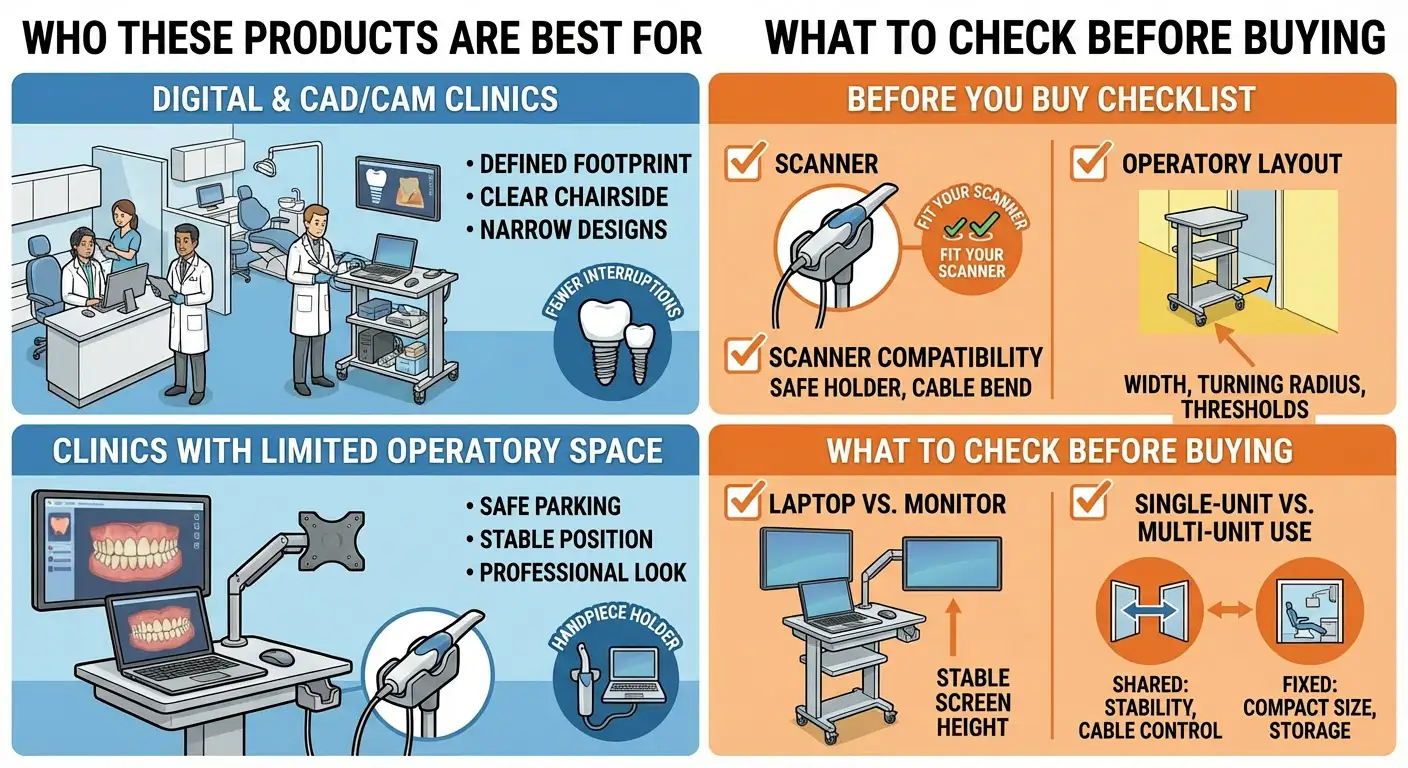
If your clinic relies on digital impressions for crowns, bridges, implants, aligners, or same-day workflows, a scanner trolley helps keep the scanning station consistent and ready. The main benefit is fewer interruptions: your scanner, computer, and essentials stay together, and you avoid re-building your setup each time you switch rooms or procedures. For teams that share one scanner across multiple operatories, a trolley often becomes a simple way to maintain order and reduce wear on connectors and cables.
Smaller rooms tend to get crowded quickly once a scanner, laptop, and accessories enter the picture. A compact trolley gives the setup a defined footprint so chairside surfaces stay clear. In tight operatories, look for narrower designs with reliable wheel locks, because the trolley will often sit close to the dental chair and assistant zone. The goal is to add digital capability without creating clutter.
If you scan next to the patient (instead of scanning from a separate desk), the trolley becomes your “home base.” The scanner holder keeps the handpiece parked safely between passes, the laptop stays in a stable position, and tips/sleeves remain within reach. This reduces small delays during the appointment and keeps the operatory looking controlled and professional.
Pricing depends mainly on build quality, materials, and included features such as monitor support, storage design, and power access. In general, simpler trolleys with fewer mounting options cost less, while models built as full scanning workstations typically cost more.
In Canada, pricing may also vary due to import costs, distribution, and compliance factors that affect sourcing and availability. The best approach is to compare models by the features you will actually use day-to-day especially stability, wheel locks, and how well the trolley supports your scanner and computer setup.
A scanner trolley is recommended because it protects an expensive device and supports a consistent workflow. It reduces chairside clutter, keeps cables under control, and makes it easier to move the full scanning setup between rooms without carrying separate components. For most clinics, the value is not only convenience it’s fewer avoidable mishaps, less connector strain over time, and a smoother experience for both the clinical team and the patient.
An intraoral scanner trolley turns digital scanning into a more organized, repeatable process. The right option keeps your scanner and computer secure at chairside, helps manage power and cables, and supports safe movement between operatories when needed. When choosing, focus on stability, wheel locks, cable control, and real compatibility with your scanner and laptop/monitor setup. Those details determine whether the trolley feels like a helpful workstation or just another cart in the room.
1) What is the difference between an intraoral scanner trolley and a general dental trolley?
A scanner trolley is designed around digital scanning needs safe scanner parking, better stability for computer use, and cleaner cable and power handling.
2) Will my intraoral scanner fit on any scanner trolley?
Most trolleys work with many scanners, but you should confirm the holder/parking position supports your handpiece safely and does not stress the cable.
3) Do I need a trolley if I only scan in one operatory?
It can still help by keeping the scanner setup organized and protecting the device, even if you don’t move it between rooms.
4) Is a monitor mount necessary?
Not always. It’s most useful if you show scans to patients or want a larger display than a laptop during scanning.
5) What features matter most for safety?
A stable base, strong frame, reliable locking casters, and a secure scanner holder are the main safety factors.
6) How can a trolley help with cable problems?
It provides a consistent route and support points for cables, reducing loose cords on the floor and lowering the risk of accidental tugs.
7) Can one trolley be shared across multiple operatories?
Yes. Many clinics use one trolley for several rooms to keep the scanning station consistent and reduce setup time.
8) How do I choose between a 2-shelf and 3-shelf trolley?
Choose 2-shelf for compact spaces and lighter setups; choose 3-shelf if you store more supplies, peripherals, or want clearer separation of items.
9) What should I check in my operatory before ordering?
Measure the available chairside space, doorway width, and the path you’ll roll the trolley through, including thresholds.
10) Why can prices vary between regions, including Canada?
Prices can vary due to sourcing, import costs, distribution, and availability, in addition to the trolley’s build quality and included features.